


Macsome Spotify Downloader - Spotify Free Music Downloader
- Updated on Jun. 05, 2026
 Wyatt Maxwell
- General, Spotify Tips
Generally speaking, once you used Spotify to play music, if you don't pay for the subscription, this is your Spotify Free service. And spotify's free, ad-supported tier has long provided users with an easy way to access a giant library of streaming music.
Spotify is one of the most popular and best music streaming services, there is no doubt. There are mainly two tiers of Spotify plans for individuals, Spotify Free and Spotify Premium. From the next table, we can easily find the differences between Spotify Free and Spotify Premium.
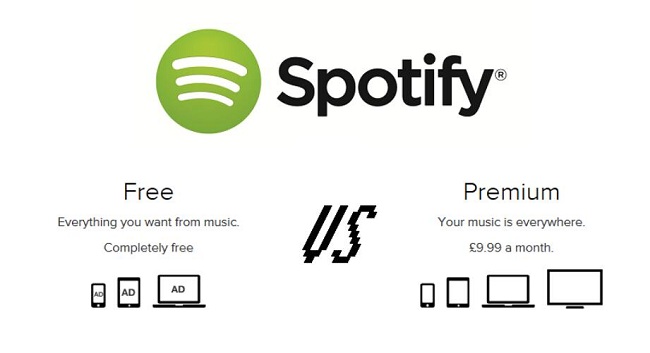
Spotify Premium vs Spotify Free
| Plan | Spotify Premium | Spotify Free |
|---|---|---|
| Monthly Price (US) |
Individual: $11.99 Student: $5.99 Duo: $16.99 Family (up to 6 accounts): $19.99 |
Free |
| Annual Cost |
No official annual plan (≈ $143.88/year for Individual equivalent) |
Free |
| Music Library | 100M+ songs + full catalog access | 100M+ songs (limited control, some restrictions on on-demand playback) |
| Device Support | PC, Mac, iOS, Android, Smart TV, PS5/PS4, Xbox, Android Auto, Apple CarPlay, smart speakers | PC, Mac, iOS, Android, Smart TV, PS5/PS4, Xbox, Android Auto, Apple CarPlay, smart speakers |
| Key Features |
Ad-free listening Offline downloads Unlimited skips On-demand playback High quality audio |
Ad-supported listening Limited skips Shuffle-heavy playback on mobile Standard audio quality |
Spotify supports users enjoying music freely, you can listen listen to Spotify on your PC, smartphone, connected devices, PS4 or PS5, Smart TVs, or any car equipped with Android Auto or Apple CarPlay. In this way, Free users has the same options as the Premium users.
Why Can't Spotify Free Users Download Spotify Songs
If you are Spotify Free users, you can only stream and play the songs via the internet, because you can't download them offline playing When you became Spotify Premium users, you can download songs to your PC, Mac, iOS, Anddoid or other supported devices and listen to them offline whenever you don't have internet connection.
Spotify Premium users can download up to 10,000 songs per device, on a maximum of 5 different devices per account for offline listening.
Is there a way to download the Spotify Free music songs and you don't subscribe the Spotify Premium service?
This looks complicated, please don't worry, in the following, we will talk how to download Spotify music songs, when you are Spotify Free user.
As a powerful Spotify Free Music Downloader, Macsome Spotify Downloader is your ideal choice, which is designed to free download Spotify music songs and Spotify playlists with "Intelligent Mode" or "Record Mode" or "Youtube Mode" three modes to download, and save the downloaded files in the format of MP3, AAC, FLAC and WAV.
Download Spotify Music Without Spotify Premium
Spotify is one of the most popular music streaming services, which can let you stream music for offline listening. However, you can't copy and transfer the Spotify songs at all. In the following, we will talk about the alternative solution to help any Spotify user to download Spotify music for playback on Amazon Echo as well.
Macsome Spotify Music Downloader supports a wonderful and cool solution for Spotify Free or Premium users. With it, you can easily download Spotify songs, playlists, and podcasts, and then convert Spotify music to MP3, AAC, FLAC, WAV, AIFF, or ALAC with fast conversion speed and perfect output quality.
Key Features of Macsome Spotify Downloader
- Download Spotify songs, playlists, and podcasts with high quality.
- Convert Spotify songs to MP3, AAC, WAV, FLAC, AIFF, or ALAC.
- Support batch downloading at up to 10x faster speed.
- Almost all the ID3 tags will be preserved.
- Burn Spotify music to a CD with one click.
- Transfer Spotify music to Apple Music/iTunes with one click.
- Suitable for both Spotify Premium and Free users.
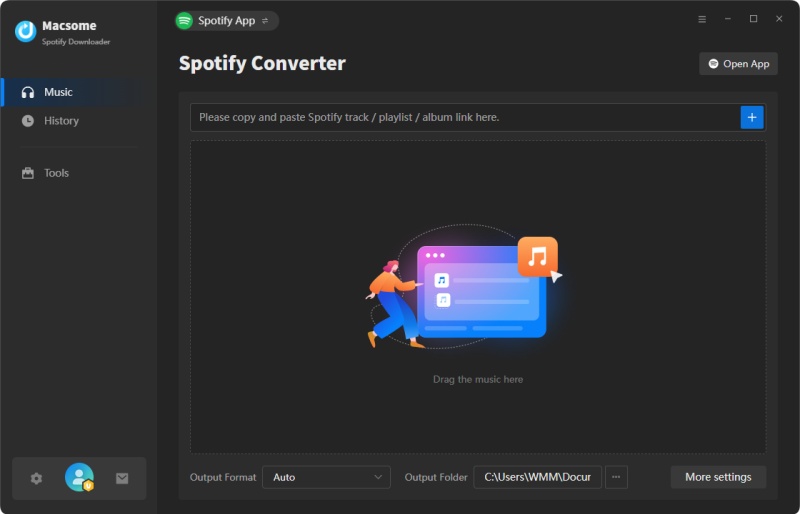
Step 1. Download and Launch Macome Spotify Downloader
Go to download and install Macsome Spotify Downloader and run it.It offers two download modes: Spotify app and Spotify web player. Choose one as you need.
Step 2. Add Spotify Music or Playlists
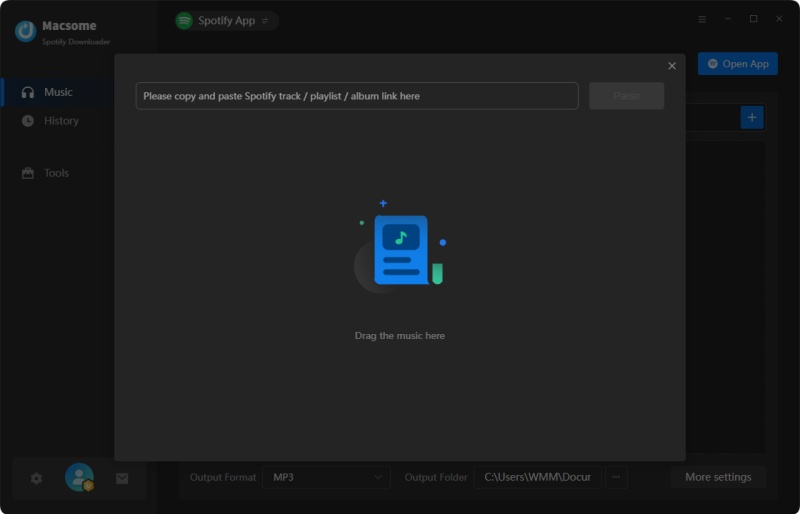
Click the "+" icon, then you will see a pop-up window which indicates you to drag and drop the songs or playlist here.
To drag your Spotify songs in, just open the Spotify application, check the songs or playlist you would like to convert, then drag them to add window.
Step 3. Set Output Format and other output Settings
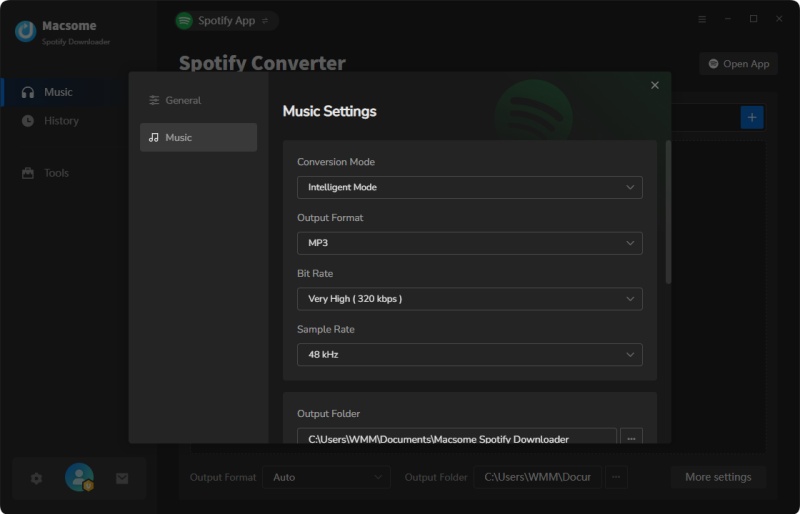
Directly click "Settings" icon to open the Settings window, you can choose one output format among MP3, AAC, FLAC, WAV, AIFF, and ALAC. Here we choose MP3 as the output format.
Step 4. Start Downloading Spotify Music Without Premium
When the above steps are finished, just click "Convert" button to start downloading music from Spotify.
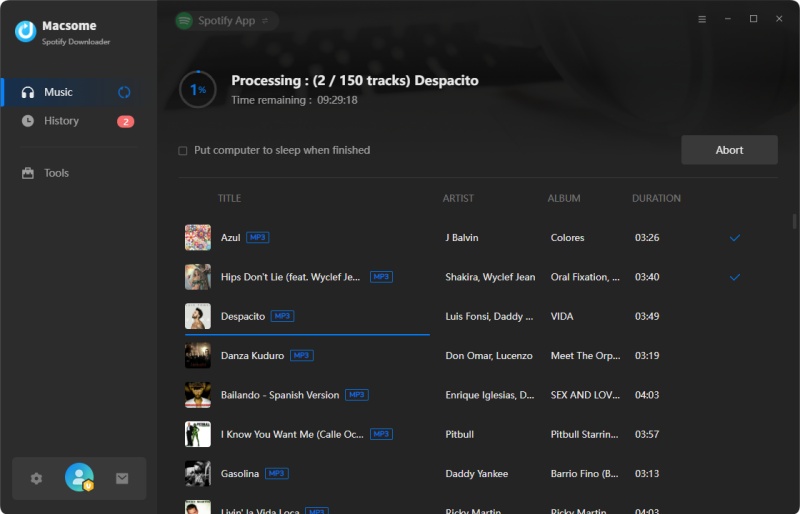
Once the conversion is complete, click the History button to view your converted audio files. The downloaded Spotify tracks will be saved in the output folder on your computer. You can now access and enjoy your music anytime, anywhere, without restrictions.
Conclusion
Now you've learnt the difference between Spotify Free and Spotify Premium. No matter which plan you choose, you can enjoy more than 100 million tracks. To download Spotify for offline listening, you can subscribe to Spotify Premium or use the Spotify Free Music Downloader, Macsome Spotify Music Downloader. It can allow you to download Spotify music with both Spotify Free and Premium accounts. So, you can play Spotify music songs offline without any limitation. It looks so cool, why not free download and take a try? Macome Spotify Downloader has a free trial version, which lets users convert the first minute of each audio for sample testing. Now free download the program and have a try!