



 Wyatt Maxwell
With streaming music becoming part of everyday life, Spotify continues to dominate the global music market. At the same time, many users are looking for easy ways to download Spotify songs for offline listening. One online tool that has recently gained attention is Spotisaver. But is Spotisaver really safe, reliable, and worth using? In this Spotisaver review guide, we'll examine its features, audio quality, pros and cons, safety concerns, and the best Spotisaver alternatives available in 2026.
Contents
Part 2. How to Use Spotisaver Free Spotify to MP3 Converter
Part 3. Is Spotisaver Safe and Legal?
Part 4. Best Spotisaver Alternatives for Spotify Download Top Pick
Part 1. A Comprehensive Review of Spotisaver
1.1 What is Spotisaver Spotify to MP3 Converter
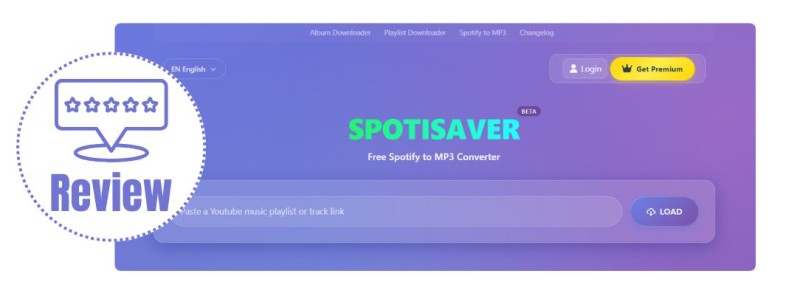
Spotisaver (spotisaver.net) is an online Spotify to MP3 converter that allows users to convert Spotify songs, playlists, albums, and artist pages into downloadable audio files without installing any software. It works directly in a web browser, making it accessible on Windows, Mac, Android, and iOS devices.
To use the tool, users simply paste a Spotify URL into the input box, and the system processes the link to generate downloadable MP3 files for offline listening.
The platform claims to support additional features such as ZIP playlist downloads, ID3 tag preservation, album artwork, and basic metadata retention, which can help organize music files more effectively after downloading.
1.2 Top Features of SpotiSaver
- ✅ Download Spotify songs, albums, playlists, and artists online for free.
- ✅ Convert Spotify music to MP3 format with up to 320kbps audio quality.
- ✅ No software installation required — works directly in your browser.
- ✅ Supports fast Spotify link analysis and online downloading.
- ✅ Compatible with Windows, Mac, Android, iPhone, and tablets.
- ✅ Simple and beginner-friendly interface for quick Spotify downloads.
1.3 Is Spotisaver Free?
Spotisaver offers a free version that allows users to convert Spotify songs, playlists, and albums into downloadable MP3 files without requiring registration or a subscription. This makes it accessible for users who want a quick and simple way to save music for offline listening.
However, the free version comes with certain limitations compared to the premium plan. These restrictions mainly affect batch processing, download performance, and advanced customization features.
| Feature | Free Version | Premium Version |
|---|---|---|
| Playlist downloads | Limited batch processing | Unlimited batch downloads |
| Processing speed | Standard speed | Faster conversion speed |
| ZIP downloads | Limited availability | Full ZIP support |
| Filename customization | Basic filenames | Custom naming templates |
| Metadata (ID3 tags) | Basic support | Enhanced metadata support |
| Priority support | Not included | Included |
1.4 Pros and Cons of Spotisaver
Pros
- Free to use with no account or subscription required.
- Works directly in a browser without software installation.
- Supports converting Spotify tracks, playlists, and albums.
- Simple interface that is easy for beginners to use.
- Provides MP3 downloads suitable for offline listening.
Cons
- The free version only supports one playlist conversion at a time, limiting batch usage.
- Large playlists may not always download completely, especially with long track lists.
- Some download attempts may fail and require retrying the process.
- Processing stability can vary depending on server load.
Part 2. How to Use Spotisaver Free Spotify to MP3 Converter
Below is a step-by-step guide on how to use Spotisaver to download Spotify tracks, playlists, or albums online.
- Open the Spotify app or web player on your device and locate the track, playlist, or album you want to download. Then copy the Spotify URL using the share option.
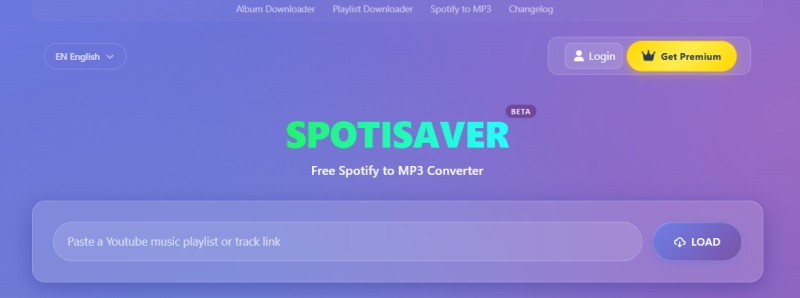
- Open a web browser and go to the official Spotisaver website (https://spotisaver.net/). On the homepage, you will find an input box labeled "Paste a Spotify playlist, album, artist, or track link." Paste the copied URL into the box and click LOAD. Wait a few seconds for the system to process the link.
-
Once the processing is complete, a list of available tracks will appear. From here, you can:
- Click Download next to a track to save it individually as an MP3 file
- Click Download Entire Playlist to download all available tracks at once
- Click the cover/image icon to download album artwork (usually 640x640px)
- Export a TXT file containing track details such as song titles, artists, and album names
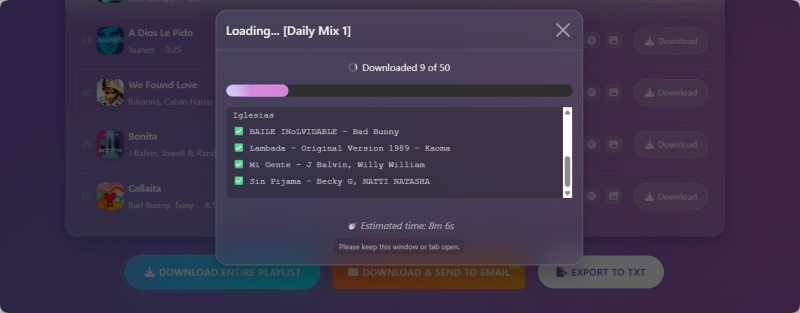
- For full playlist export, click the Download ZIP button to save all tracks in a compressed file. The downloaded files are typically in MP3 format and can be played on most devices.
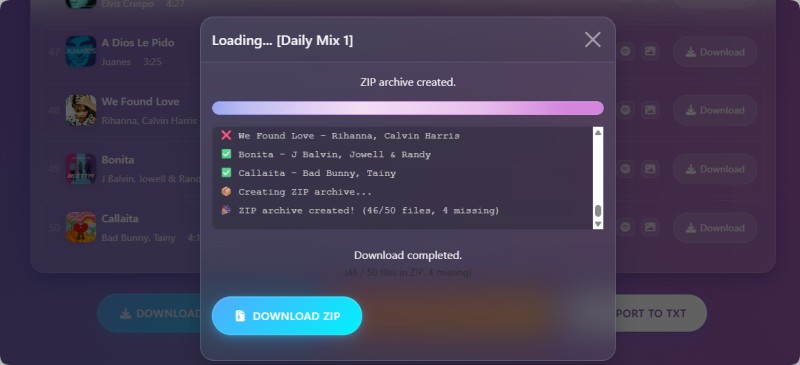
⚠️ Note: In some cases, playlist downloads may be incomplete due to processing limits. If a track fails to download or appears missing, retrying the process usually resolves the issue.
Part 3. Is Spotisaver Safe and Legal?
Is Spotisaver Safe to Use?
Spotisaver is a third-party online tool, not an official Spotify service. Since it works through a web browser and does not require users to install additional software or provide Spotify account credentials, it avoids some common security risks associated with unknown desktop applications.
However, users should still be cautious when using free online converters. Like many similar websites, Spotisaver may rely on advertisements, external links, or third-party services that could affect the overall user experience and reliability.
Things to Keep in Mind
- Not affiliated with Spotify: Spotisaver is an independent third-party service and is not supported or endorsed by Spotify.
- Privacy considerations: Avoid entering personal information or Spotify login details on unofficial websites.
- Service reliability: As an online conversion tool, its features and availability may depend on external systems.
Is Spotisaver Legal?
The legality of using Spotisaver depends on the source of the content and how the converted files are used. Since Spotisaver is not an official Spotify feature, downloading or converting copyrighted Spotify content through third-party tools may violate Spotify's Terms of Service.
Users should only convert content that they own or have permission to use. For personal music management and backup needs, choosing tools that comply with platform policies and respect copyright rules is recommended.
Overall, Spotisaver can be a convenient option for quick online conversions, but users should understand the potential limitations and risks of third-party web-based tools before using them.
Part 4. Best Desktop Alternatives to Spotisaver for Batch Spotify Downloads
Although online Spotify downloader tools like Spotisaver are convenient for quick use, they often come with limitations in stability, audio quality, and batch downloading performance. In addition, many free web-based tools contain ads and pop-ups, which can interfere with navigation, make the downloading process less smooth, and may also pose potential security risks.
A widely used desktop alternative is Macsome Spotify Downloader, which is designed for users who need to download Spotify playlists, albums, podcasts, or audiobooks in batches with higher stability and quality control. Macsome supports high-quality audio output up to 320 kbps and allows users to customize settings such as bitrate (128-320 kbps) and sample rate (44.1-192 kHz). It also supports multiple formats, including MP3, AAC, WAV, FLAC, AIFF, and ALAC, while preserving key ID3 tags like title, artist, and album information.
Compared with browser-based tools, Macsome runs as a desktop application that does not rely on web-based processing. It works with both Spotify Free and Premium accounts and supports direct access through the Spotify web player in some cases. Overall, desktop solutions like Macsome are generally more suitable for users who require stable batch downloading, faster processing speed, and additional features such as format conversion and metadata editing.
Key Features of Macsome Spotify Downloader
- Download Spotify tracks, playlists, audiobooks, and podcasts in high quality.
- Convert Spotify music to MP3, AAC, WAV, FLAC, AIFF, or ALAC formats.
- Supports both Spotify app and web player sources.
- No login required when using the Spotify web player.
- Custom audio quality up to 320 kbps with adjustable bitrate and sample rate.
- Batch download playlists at high speed (up to 40x faster processing).
- Preserve ID3 tags such as title, artist, and album information.
- Export files with organized folders and customizable filenames.
How to Use Macsome Spotify Downloader for Batch Spotify Downloads
Step 1. Launch Macsome Spotify Downloader
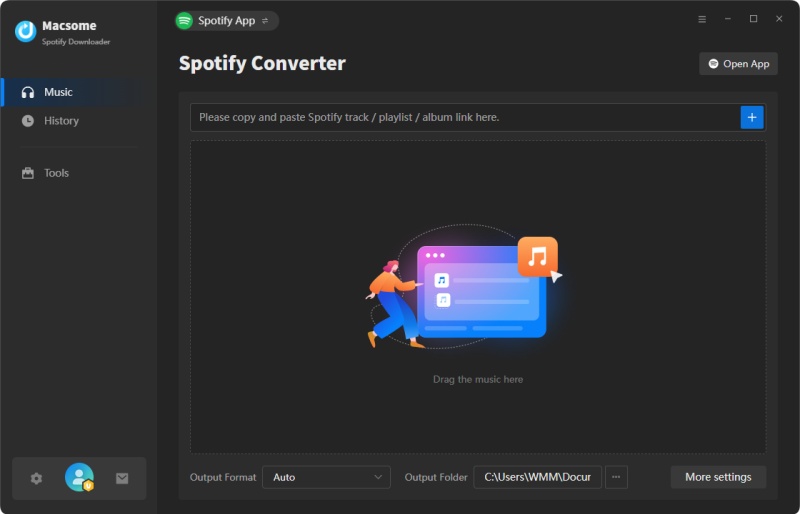
Install and open Macsome Spotify Downloader on your computer. You can choose to use either Spotify app mode or Spotify web player mode. This guide uses Spotify app mode as an example.
Step 2. Import Spotify Playlists
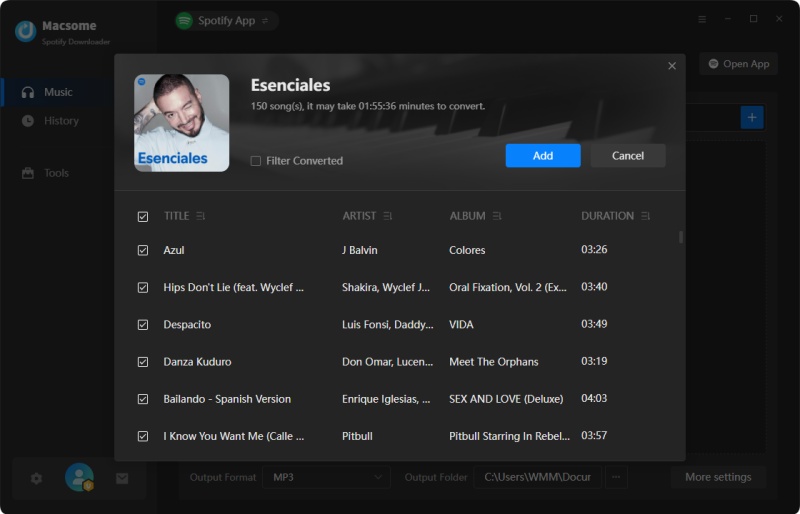
Open Spotify and select the playlist you want to download. Click Click to add inside Macsome, then press Add to import tracks. To download multiple playlists in batches, use the Add More option.
Step 3. Choose Output Settings
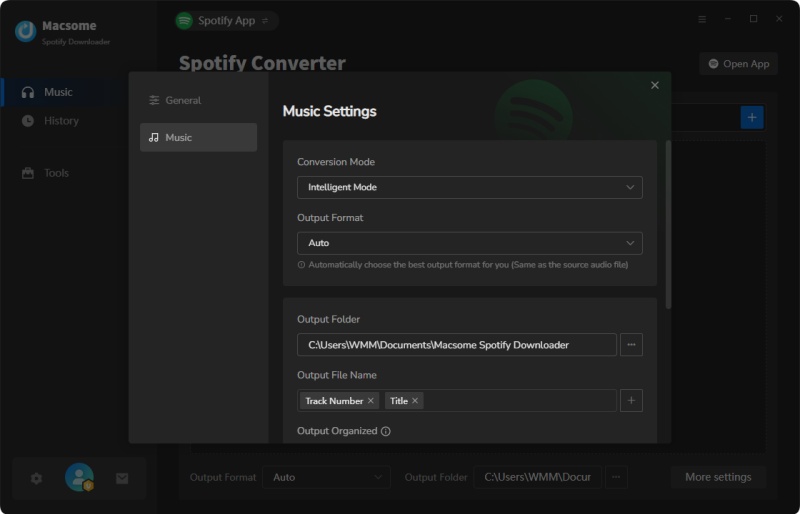
Go to Settings to select your preferred output format, such as MP3, AAC, WAV, FLAC, AIFF, or ALAC. You can also adjust bitrate, sample rate, file naming rules, and output folder location.
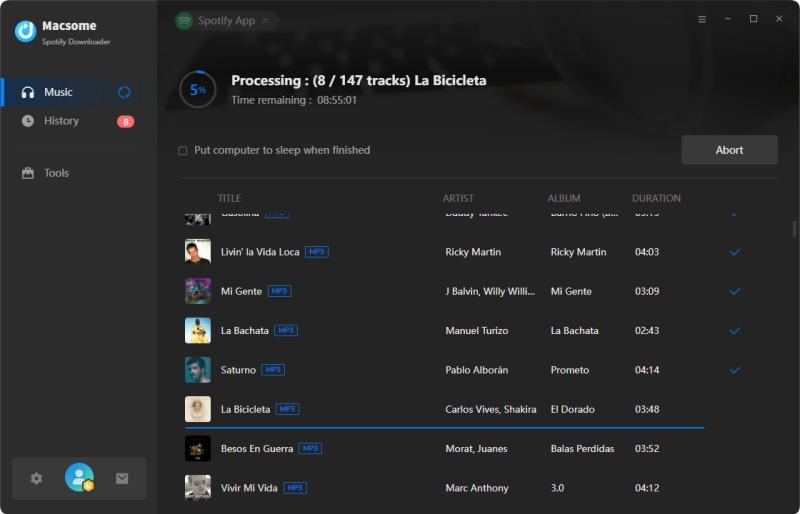
Step 4. Start Downloading Spotify Music
Click Convert to start batch downloading Spotify music. Once finished, open the History tab or click the Folder icon to locate your downloaded files on your computer.
Part 5. Frequently Asked Questions about Spotisaver
- Why does Spotisaver fail to download some songs?
- Some tracks may fail to download due to server load, unsupported content formats, regional restrictions, or temporary service issues. In most cases, retrying the link or refreshing the page can resolve the problem.
- Can Spotisaver download full Spotify playlists?
- Yes, Spotisaver supports playlist downloads. However, very large playlists may not always download completely in one session, depending on system load and processing limits.
- Does Spotisaver work on mobile devices?
- Yes, Spotisaver is browser-based and works on both Android and iOS devices. Users can access it through modern browsers such as Chrome or Safari without installing any app.
- Do I need a Spotify Premium account to use Spotisaver?
- No, Spotisaver generally works with both Spotify Free and Premium accounts. Users only need a valid Spotify track or playlist link to process downloads.
- What is the best alternative to Spotisaver?
- Desktop Spotify downloaders like Macsome Spotify Downloader are often considered the best alternatives, offering more stable performance, batch downloading, and higher audio quality compared to browser-based tools.
Conclusion
This article provides a detailed review of Spotisaver, a browser-based Spotify downloader that allows users to convert Spotify tracks, playlists, and albums into MP3 files without installing software. It is designed for quick and convenient online use across different devices. Overall, Spotisaver is suitable for basic downloading needs, but users looking for a more stable Spotify downloader alternative with batch conversion support and higher audio quality may prefer desktop solutions.
For users who require more reliable batch downloading and better playlist management, desktop software such as Macsome Spotify Downloader can be a more suitable alternative.
Note: The free trial version of Macsome Spotify Downloader lets you convert the first minute of each audio file, allowing you to test the features before upgrading to the full version.