



 Wyatt Maxwell
Have you ever wanted to download Spotify songs as MP3 without installing heavy desktop software? If so, you're not alone. Many users search for the best Spotify downloader extension because they hope to save music directly from Chrome or another web browser with just a few clicks.
Browser extensions seem like the easiest solution—they're lightweight, quick to install, and don't require a separate desktop application. Whether you want to download your favorite Spotify playlists, save albums for offline listening, or convert tracks to high-quality MP3, a Spotify downloader Chrome extension seems like a convenient choice.
To help you find the right tool, we've reviewed some of the most popular Spotify download solutions available today. We'll compare their key features, pros and cons, and limitations, and also introduce a reliable Spotify downloader alternative for users who need more flexibility when downloading songs, albums, and playlists.
- Part 1. What Is a Spotify Downloader Extension?
- Part 2. Best Spotify Downloader Extensions in 2026
- Part 3. Popular Spotify Downloader Extensions That Are No Longer Available
- Part 4. Spotify Downloader Extensions That May Cause Confusion
- 🏆 Part 5. A More Reliable Alternative to Spotify Downloader Extensions
- Part 6. FAQs About Spotify Downloader Extension
Part 1. What Is a Spotify Downloader Extension?
A Spotify Downloader Extension is a browser add-on, mainly available for browsers like Chrome and Firefox, designed to help users save Spotify music directly from their web browser. Instead of using Spotify's official offline listening feature, which requires a Premium subscription, these tools provide another way for users to manage and save their favorite songs, albums, and playlists.
With a reliable Spotify downloader extension, you may be able to:
- Download individual tracks or entire playlists more conveniently
- Convert Spotify music to common audio formats such as MP3
- Preserve basic metadata, including song titles, artists, and album information
- Enjoy saved music offline on different devices
With so many options available, finding a reliable tool can be difficult. Next, we'll explore the best Spotify downloader Chrome extensions in 2026 and see which options are worth considering.
Part 2. Best Spotify Downloader Extensions 2026: Tested & Reviewed
After testing and reviewing the currently available browser extensions, we found that only a handful of Spotify downloader extensions are still actively maintained. Below are three extensions that are still available at the time of writing.
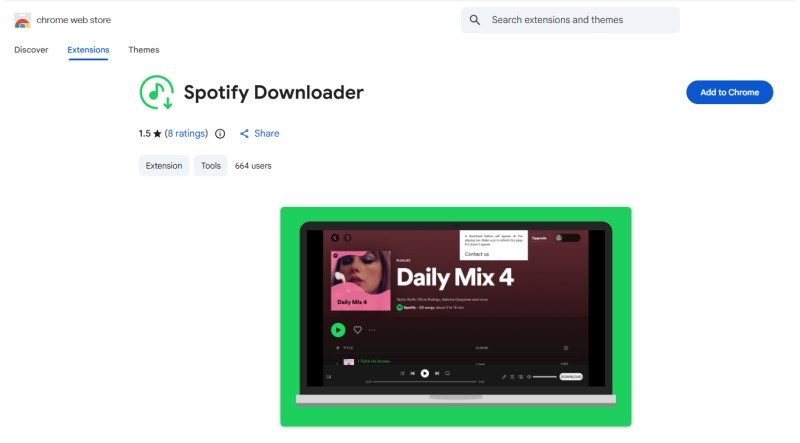
#1. Spotify Downloader
Best for: Users looking for a lightweight browser-based Spotify downloader.
Spotify Downloader is a Chrome extension that offers a simple downloading workflow for Spotify users. It is designed for users who prefer a quick browser solution without installing additional desktop software. The extension focuses on convenience with a one-click download approach. However, users need to subscribe before accessing the complete downloading features.
How to Use
- Step 1. Install the Spotify Downloader extension from the Chrome Web Store.
- Step 2. Open Spotify Web Player in your browser.
- Step 3. Select a Spotify song, album, or playlist.
- Step 4. Use the extension's download function to save the music.
Pros:
- Easy installation and simple interface
- No Spotify account required
- Suitable for users who prefer browser tools
Cons:
- Requires subscription for full features
- Limited advanced options compared with desktop software
- Browser-based tools may have stability limitations
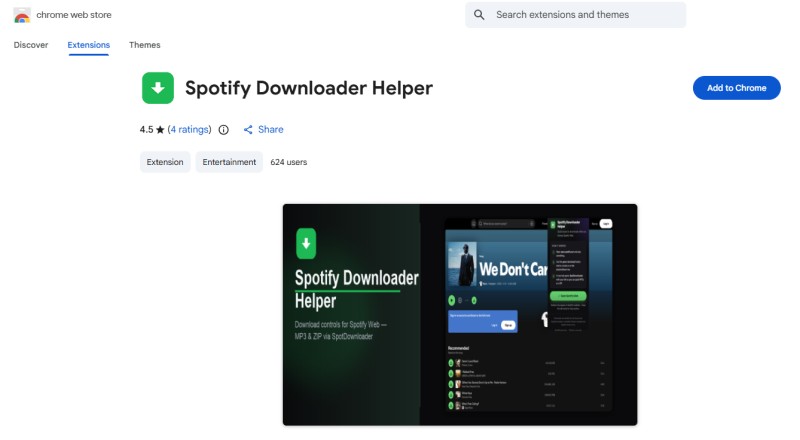
#2. SpotDownloader Spotify Downloader Helper
Best for: Users who want quick access to third-party Spotify download services.
SpotDownloader Spotify Downloader Helper adds download buttons directly to the Spotify Web Player. Instead of downloading audio files itself, it sends Spotify song, album, and playlist links to the SpotDownloader service. This extension makes it easier to access external downloading tools without manually copying Spotify links. However, the final download experience depends on the third-party service.
How to Use
- Step 1. Install SpotDownloader Spotify Downloader Helper.
- Step 2. Open Spotify Web Player.
- Step 3. Click the download button added beside tracks, playlists, or albums.
- Step 4. Complete the download process on the SpotDownloader website.
Pros:
- Adds convenient download buttons to Spotify Web Player
- Supports songs, playlists, and albums
- Does not require Spotify login credentials
Cons:
- Does not download files directly
- Depends on third-party service availability
- Download quality may vary
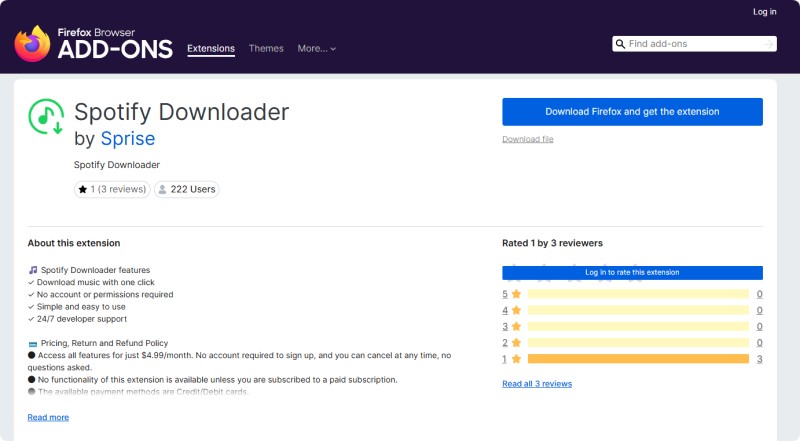
#3. Spotify Downloader by Sprise
Best for: Users who want a simple one-click Spotify downloading extension.
Spotify Downloader by Sprise is a browser extension designed to provide a simple way to download Spotify music. It focuses on ease of use, allowing users to access downloading features without complicated settings or a Spotify account login.
The extension provides a straightforward experience for users looking for a Spotify downloader Chrome extension. However, downloading features requires a paid subscription before users can access the full functionality.
How to Use
- Step 1. Install Spotify Downloader by Sprise from the Firefox Add-ons store.
- Step 2. Subscribe to unlock the extension features.
- Step 3. Open Spotify Web Player and select the song or playlist you want to download.
- Step 4. Click the download option and follow the instructions.
Pros:
- Simple one-click download workflow
- No Spotify account login required
- Beginner-friendly interface
Cons:
- Requires a paid subscription
- Limited information about output formats and quality
- Requires browser permissions
Part 3. Popular Spotify Downloader Extensions That Are No Longer Available
In addition to the extensions available today, several well-known Spotify downloader extensions were once widely used by Spotify users. Although they have since been discontinued or removed, they are still frequently mentioned in forums, blogs, and older tutorials.
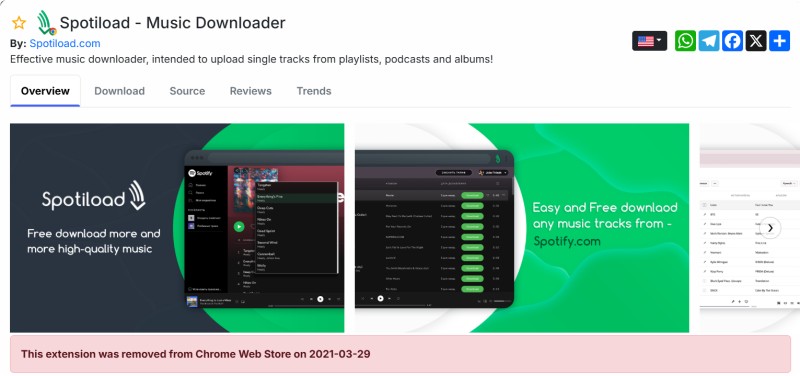
Spotiload (Spotify VK Downloader)
Removed Most Famous Historical Spotify Downloader Extension
Spotiload, also known as Spotify VK Downloader, was one of the most popular Spotify downloader Chrome extensions. It allowed users to install the extension in Chrome, open Spotify Web Player, and download matched MP3 files with just a few clicks.
Spotify & Deezer Music Downloader
RemovedPopular Multi-Platform Downloader
Spotify & Deezer Music Downloader was another well-known browser extension that supported downloading music from both Spotify and Deezer. It became popular because of its simple browser-based workflow and easy access to MP3 downloads.
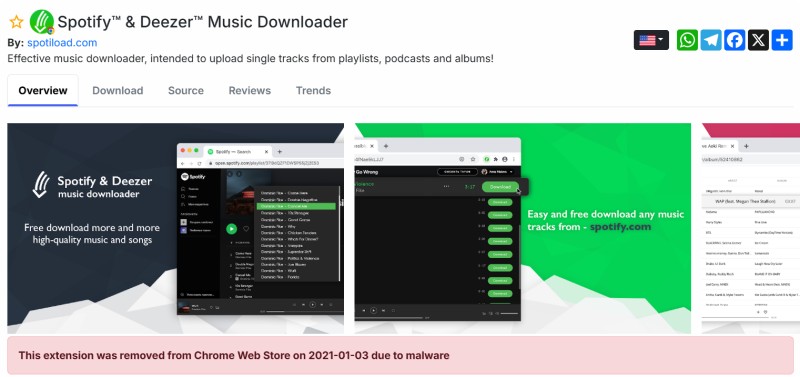
Many classic Spotify downloader extensions have been removed due to browser policy changes, lack of maintenance, or compatibility issues with newer versions of Spotify Web Player. While some names are still frequently mentioned online, their availability and functionality have changed significantly over time.
Part 4. Spotify Downloader Extensions That May Cause Confusion
Not every extension with "Spotify Downloader" in its name is actually designed to download Spotify music. Some extensions simply share similar keywords or support other websites, which can easily confuse users searching for a Spotify downloader extension.
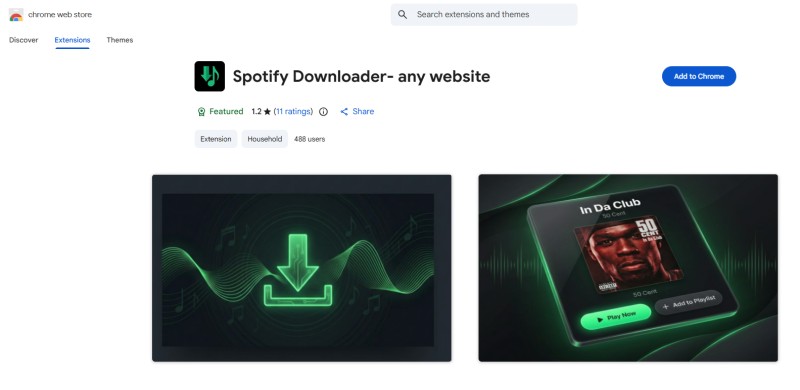
Spotify Downloader - Any Website
Best for: Users who want to save Spotify track information and album artwork.
Spotify Downloader - Any Website is a lightweight Chrome extension designed to extract Spotify track information and high-quality cover images from the Spotify Web Player. Despite its name, this extension is not a traditional Spotify music downloader. It does not download Spotify songs as MP3 or convert playlists into audio files. Instead, it focuses on metadata extraction and artwork management.
Key Features
- Extract song title and artist information
- Download high-resolution album artwork
- Export track metadata
- Global image extraction feature
Pros:
- Lightweight and easy to use
- Useful for collecting Spotify metadata
- Downloads high-quality cover art
Cons:
- Cannot download Spotify songs
- Does not support MP3 conversion
- The name may confuse users looking for a music downloader
Part 5. A More Reliable Alternative to Spotify Downloader Extensions
After reviewing different Spotify downloader extensions, it is clear that browser-based solutions can be convenient, but they also come with certain limitations. Many extensions may stop working over time due to browser policy changes, Spotify Web Player updates, or a lack of ongoing maintenance. In addition, some extensions use names similar to popular Spotify download tools, which can make it difficult for users to determine whether they actually provide the features they need.
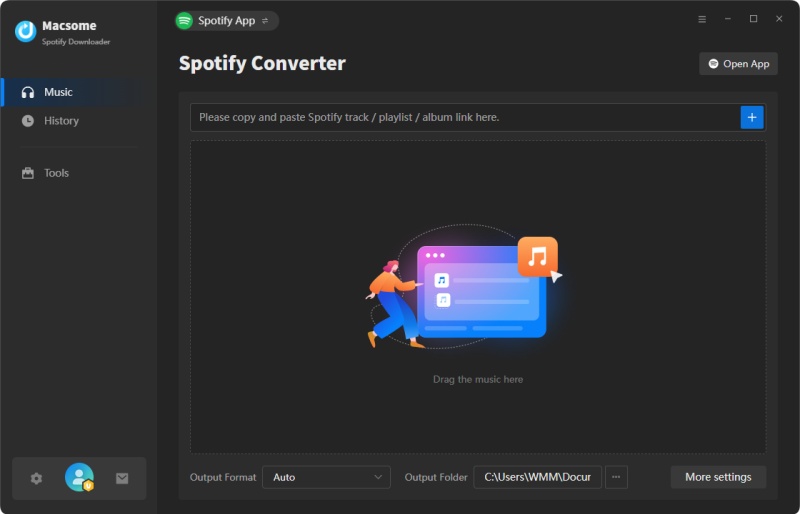
Instead of spending time trying different browser extensions that may not offer a consistent experience, users looking for a more reliable solution can consider a dedicated desktop application like Macsome Spotify Downloader. It supports batch downloading of Spotify albums, playlists, podcasts, and audiobooks and allows users to save content in multiple formats, including MP3, AAC, WAV, FLAC, AIFF, and ALAC, while preserving high-quality audio and ID3 tags.
Unlike browser extensions that rely on changes to the Spotify Web Player, Macsome Spotify Downloader provides a more stable and feature-rich way to enjoy Spotify music offline.
Why Choose Macsome Spotify Downloader?
- Download Spotify music, albums, playlists, podcasts, and audiobooks in high quality.
- Support Spotify App Mode and Web Player Mode for flexible downloading options.
- Save Spotify songs as MP3, AAC, WAV, FLAC, AIFF, or ALAC with customizable quality.
- Download Spotify music in batches with a faster processing speed.
- Preserve ID3 tags, album artwork, and important metadata automatically.
- Support up to 320 kbps output quality for MP3 and other audio formats.
- Enjoy Spotify offline playback with downloaded local audio files.
- Built-in tools for CD burning and importing music to Apple Music.
How to Download Spotify Music with Macsome Spotify Downloader?
- Step 1. Download, install, and launch Macsome Spotify Downloader on your computer. Choose Spotify App Mode or Web Player Mode based on your preference.
- Step 2. Open Settings and select your preferred output format, including MP3, AAC, FLAC, WAV, AIFF, or ALAC. You can also customize the audio quality and output folder.
- Step 3. Open Spotify and select the albums, playlists, or songs you want to save. Click the "Click to add" button to add them to the download list. Multiple tracks can be added at once.
- Step 4. Click the "Convert" button to start downloading. After completion, open the "History" section to find your downloaded Spotify music files.
Pros:
- Download Spotify songs, albums, playlists, podcasts, and audiobooks while preserving ID3 tags and metadata.
- Convert Spotify music to MP3, AAC, FLAC, WAV, AIFF, or ALAC formats.
- Support high-quality audio output, including up to 320 kbps MP3 and lossless formats such as FLAC and ALAC.
- Support downloading from both Spotify App Mode and Spotify Web Player Mode.
- Provide batch downloading and additional music management features.
Cons:
- Requires installation on a Windows or Mac computer instead of working directly in a browser.
- The free trial has limitations, and a paid license is required to unlock all features.
Part 6. FAQs About Spotify Downloader Extension
- Can Spotify downloader extensions download songs from Spotify?
- Some Spotify downloader extensions claim to provide music downloading features through browsers, but their actual capabilities can vary. Because Spotify regularly updates its web player and security mechanisms, some extensions may have limited functionality or stop working after updates.
- Are Spotify downloader extensions safe?
- The safety of a Spotify downloader extension depends on factors such as the developer, user reviews, update frequency, and requested browser permissions. Users should install extensions from trusted sources and carefully review the permissions before use.
- Are Spotify downloader extensions free?
- Many Spotify downloader extensions are available for free, but features can vary. Some may offer basic functions only, while others require payment or subscriptions to unlock additional features. Users should check the extension details and pricing information before installation.
- Why do some Spotify downloader extensions stop working?
- Spotify downloader extensions can stop working for several reasons, including changes to the Spotify Web Player, browser updates, extension policy changes, or limited developer maintenance. Browser-based tools usually depend on external platforms, which can affect their long-term stability.
- What should I choose: a Spotify downloader extension or desktop software?
- The choice depends on your needs. Browser extensions are convenient because they do not require additional software installation, while desktop applications usually provide more features, such as batch downloading, more output format options, and advanced audio settings. Users should compare different solutions based on their preferred workflow.
Conclusion
Spotify downloader extensions provide a convenient way to explore browser-based music downloading options. However, their features and availability may vary due to browser updates, Spotify Web Player changes, and extension maintenance. Some users may find that extensions do not always provide the flexibility or consistency they need.
For users who want more advanced features, such as batch downloading, multiple output formats, high-quality audio, and metadata preservation, a dedicated desktop solution like Macsome Spotify Downloader can be a practical alternative. It supports downloading Spotify songs, albums, playlists, podcasts, and audiobooks with flexible output settings.
With ongoing updates and customer support, Macsome Spotify Downloader provides a smoother way to manage Spotify music beyond traditional browser extensions. If you are looking for a reliable Spotify downloader extension alternative, try Macsome Spotify Downloader today.