



 Belinda Raman
"Does anybody know a website where I can download high-resolution music in WAV format for free?" — A question from Reddit.
WAV is one of the most popular lossless audio formats for music production, DJ mixing, video editing, and offline listening. Unlike MP3, WAV files store uncompressed audio data, delivering superior sound quality while preserving every detail of the original recording.
However, finding a reliable free WAV music download site can be challenging. Many websites only offer MP3 downloads, while others provide low-quality samples or have unclear licensing terms. Whether you're looking for a free WAV music download site, royalty-free WAV music, free WAV samples, or a professional WAV music downloader to save streaming music as WAV, this guide covers the best websites and tools available.
- Part 1. Best WAV Music Downloader for Streaming Music
- ⭐ #1. Macsome Music One - Best WAV Music Downloader to Preserve Original Quality
- #2. HDTracks
- #3. Qobuz
- #4. Bandcamp
- #5. Beatport
- Part 2. Best Free WAV Music Download Sites
- #6. Internet Archive
- #7. Free Music Archive (FMA)
- #8. Jamendo Music
- #9. SampleSwap
- #10. OpenGameArt
- #11. Pixabay Music
- #12. Freesound
- #13. Musopen
- Part 3. FAQs about Free WAV Music Download Sites
- Part 4. Conclusion
Part 1. Best WAV Music Downloader for Streaming Music
#1. Macsome Music One - Best WAV Music Downloader to Preserve Original Quality
Website: https://www.macsome.com/music-one/
For users searching for a reliable way to download WAV music from streaming platforms, Macsome Music One is one of the best WAV music downloaders available. Unlike free WAV music download sites that mainly provide limited royalty-free tracks or public-domain audio, Macsome Music One allows you to save your favorite music from popular streaming services as high-quality WAV files.
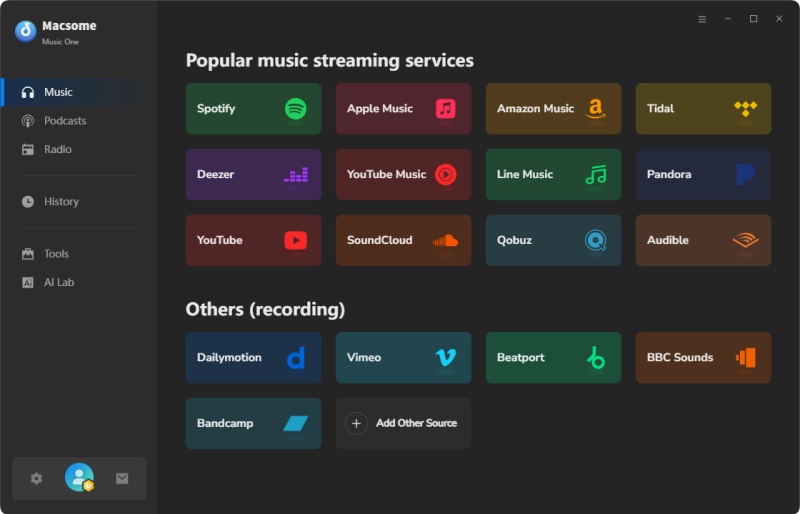
It supports downloading music from Spotify, Apple Music, Amazon Music, Tidal, YouTube Music, Deezer, Qobuz, SoundCloud, Pandora, LINE MUSIC, Audible, and more. Users can convert streaming music to lossless WAV, FLAC, AIFF, ALAC, MP3, and AAC formats. When choosing WAV output, Macsome Music One preserves the original audio quality and keeps the same quality level as the source track without additional compression.
Macsome Music One also preserves complete metadata, including song title, artist, album name, cover artwork, genre, and track number. With batch downloading support, users can save individual songs, complete albums, or playlists to WAV files quickly and efficiently.
Whether you need WAV music for offline listening, DJ mixing, music production, video editing, or building a high-quality audio library, Macsome Music One provides a convenient way to download streaming music to WAV while maintaining the original sound quality.
Why Choose Macsome Music One as Your WAV Music Downloader?
- Download music from popular streaming platforms, including Spotify, Apple Music, Amazon Music, Tidal, YouTube Music, Deezer, Qobuz, SoundCloud, Pandora, and more.
- Convert streaming music to high-quality WAV, FLAC, AIFF, ALAC, MP3, and AAC formats for offline use.
- Save lossless WAV files while preserving the original audio quality, making it ideal for music production, DJ mixing, video editing, and personal music libraries.
- Support batch downloading of songs, albums, and playlists with up to 10x faster conversion speed.
- Preserve important metadata, including song title, artist, album name, artwork, genre, track number, and other ID3 tags.
- Support both free and premium streaming accounts on compatible music services.
- Include useful built-in tools such as podcast downloader, radio downloader, tag editor, local audio converter, CD burner, and OneDrive backup.
How to Download Lossless WAV Music with Macsome Music One?
Step 1. Download, install, and launch Macsome Music One on your computer. Select the streaming music service you want to download from, such as Tidal, Spotify, Apple Music, or Qobuz. Log in to your account when required.
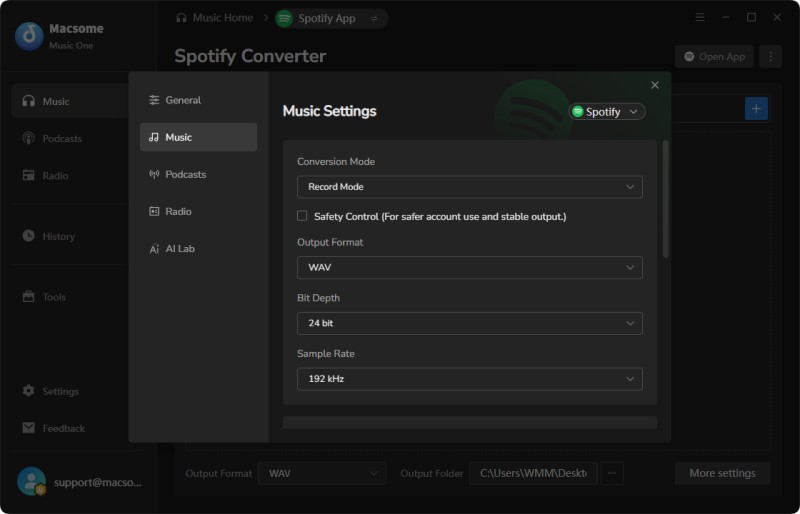
Step 2. Click "Settings" on the left panel and choose WAV as the output format. You can also customize audio settings, including sample rate, bit depth, output folder, and other parameters to match your needs.
Step 3. Open the selected music service and drag songs, albums, or playlists you want to download into Macsome Music One. Click "Add" to import the music files into the conversion list.
Step 4. Click the "Convert" button to start downloading the music as WAV files. After the conversion is completed, go to the "History" tab to locate your local WAV music files.
Pros:
- Save streaming music as high-quality WAV files.
- Keep the original audio quality without additional compression.
- Support downloading songs, albums, and playlists in batches.
- Easy-to-use interface for both beginners and advanced users.
- Available for Windows and Mac computers.
Cons:
- Requires desktop software installation.
- Free trial has download limitations.
#2. HDTracks
Website: https://www.hdtracks.com
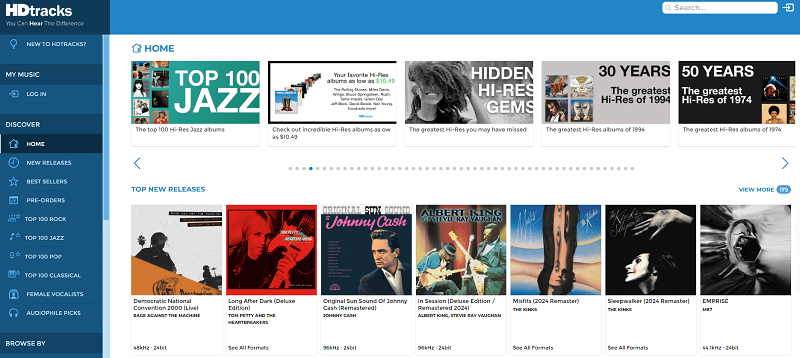
HDtracks specializes in high-resolution digital music downloads. The platform offers albums in formats including WAV, FLAC, AIFF, and ALAC. Many recordings are available in studio-quality resolution, making it popular among audiophiles and home audio enthusiasts. HDtracks focuses mainly on premium music releases from major labels, including classical, jazz, rock, and pop.
How to Download WAV Music from HDtracks
Step 1. Visit HDtracks.com and sign in to your account (or create one if you're a new user).
Step 2. Search for the album or song you want to download in WAV format.
Step 3. Open the album page and click "Add to Cart" or "Buy".
Step 4. During checkout, choose WAV as the download format (HDtracks also offers FLAC, AIFF, and ALAC for many releases).
Step 5. Complete your purchase securely.
Step 6. Go to My Account → Downloads, then click Download to save the purchased WAV files to your computer.
Pros:
- High-quality WAV and Hi-Res downloads
- Professional audio collection
- Excellent sound quality
Cons:
- Mostly paid downloads
- Limited free content
#3. Qobuz
Website: https://www.qobuz.com/us-en/shop
Qobuz is one of the best choices for users searching for high-resolution WAV and lossless music downloads. Unlike many streaming platforms, Qobuz allows users to purchase and download high-quality albums in formats such as WAV, FLAC, and ALAC. Its catalog includes millions of tracks from classical, jazz, rock, electronic, and other genres.
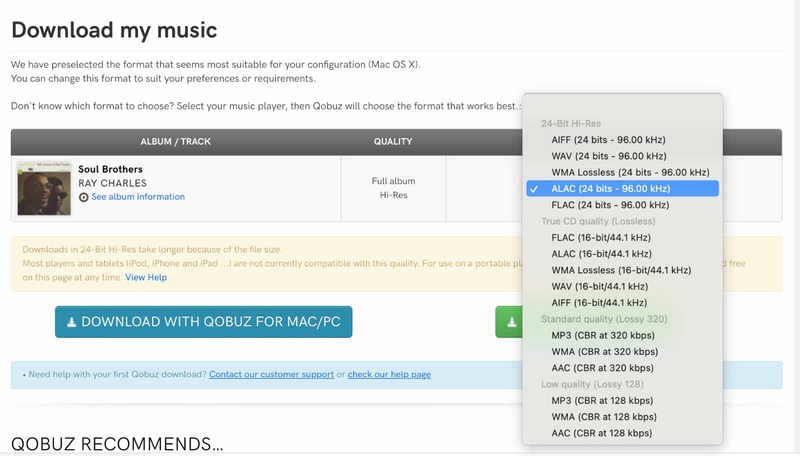
Qobuz is especially popular among audiophiles because many albums are available in Hi-Res quality, including 24-bit recordings. For users searching for premium WAV music downloads, Qobuz provides some of the highest audio quality available.
How to Download WAV Files from Qobuz
Step 1. Visit Qobuz.com and log in to your account (or create a new account).
Step 2. Search for the album or track you want to download in WAV format.
Step 3. Open the album or track page and click the "Buy" button.
Step 4. Select WAV as the download format (16-bit or 24-bit Hi-Res WAV, depending on availability).
Step 5. Complete your purchase.
Step 6. Go to My Account → Downloads or My Purchases, then click the download link to save the WAV files to your computer.
Pros:
- Offers high-resolution WAV downloads.
- Excellent audio quality
- Legal music purchases
Cons:
- Most downloads require payment
- Availability varies by region
#4. Bandcamp
Website: https://bandcamp.com/
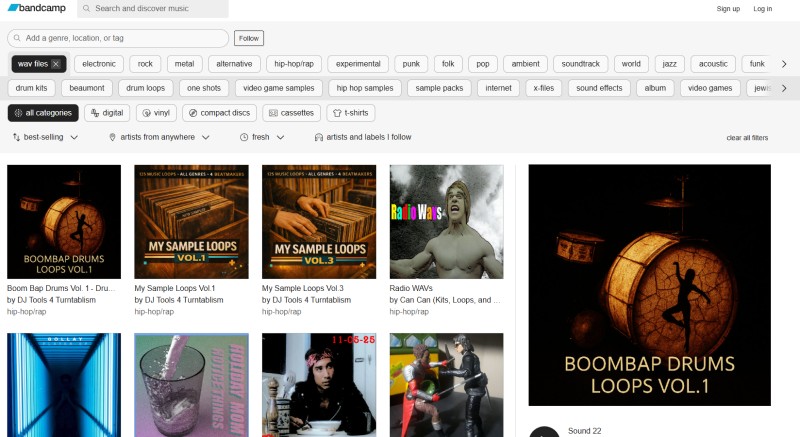
Bandcamp is a popular platform where independent artists upload and sell their music directly. Many artists provide free downloads or allow listeners to choose their own price. Depending on the artist's settings, users can download music in WAV, FLAC, AIFF, and other lossless formats.
Bandcamp is a great place to discover independent musicians, experimental music, electronic tracks, and underground releases. For people looking for free WAV music download options, Bandcamp can provide high-quality files directly from artists.
How to Download WAV Files from Bandcamp
Step 1. Visit Bandcamp.com and search for the artist, album, or track you want to download.
Step 2. Open the album or track page and click the "Buy Digital Album" or "Buy Track" button (some artists may offer free downloads or "Name Your Price" options).
Step 3. Complete your purchase, or choose the free option if available. After that, you will be redirected to the download page.
Step 4. Select WAV from the format options (if available). Bandcamp may also offer FLAC, AIFF, and other formats.
Step 5. Click the "Download" button to save the WAV file(s) to your computer.
Pros:
- Supports lossless WAV downloads
- Direct support for artists
- Huge collection of independent music
- Many free or pay-what-you-want downloads
Cons:
- Not all music is free
- WAV availability depends on artists
#5. Beatport
Website: https://www.beatport.com/
Beatport is one of the leading online music stores for electronic dance music (EDM) and DJ culture. It features millions of tracks from top labels and artists across genres such as House, Techno, Trance, Drum & Bass, and Dubstep. When purchasing music, users can download songs in high-quality WAV, AIFF, MP3, or FLAC formats, with an optional WAV Pro upgrade that includes enhanced metadata for popular DJ software.
If you're looking for professional-quality WAV music downloads, Beatport is an excellent choice. The platform is widely used by DJs, music producers, and electronic music enthusiasts who need uncompressed audio for mixing, live performances, or studio production. While it isn't a source for free WAV music downloads, its extensive catalog and studio-quality audio make it one of the best places to buy legal WAV files online.
How to Select and Download WAV Format on Beatport
Step 1. Visit Beatport.com and log in to your account (or create one if needed).
Step 2. Browse or search for the tracks or albums you want. Click on a track or release to open its page.
Step 3. Click "Add to Cart".
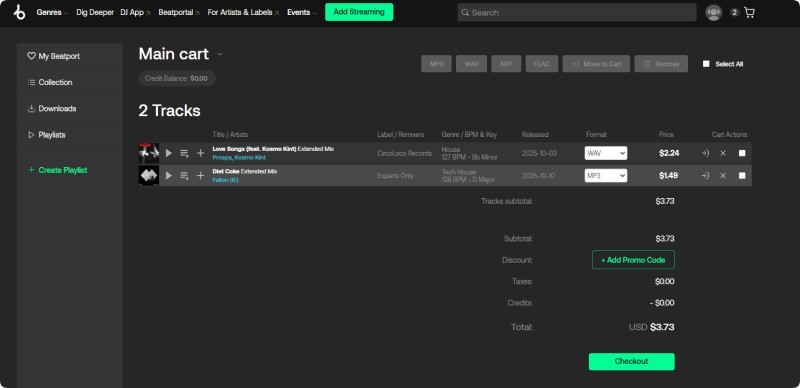
Step 4. Go to your Cart. On the Checkout page, you will see the format options. Select WAV (or WAV Pro if available) — note that WAV usually requires an additional fee.
Step 5. Complete the payment.
Step 6. After purchase, go to My Library → Collection. Click the blue download icon next to the track to download the WAV file.
Pros:
- Download high-quality WAV files for professional use
- Optional WAV Pro with enhanced metadata for DJ software
- Extensive collection of EDM, House, Techno, Trance, and more
- Frequent new releases, exclusive tracks, and DJ charts
Cons:
- Most WAV downloads require purchase
- Mainly focuses on electronic and dance music
- Large WAV file sizes require more storage space
Part 2. Best Free WAV Music Download Sites
#6. Internet Archive
Website: https://archive.org/details/audio
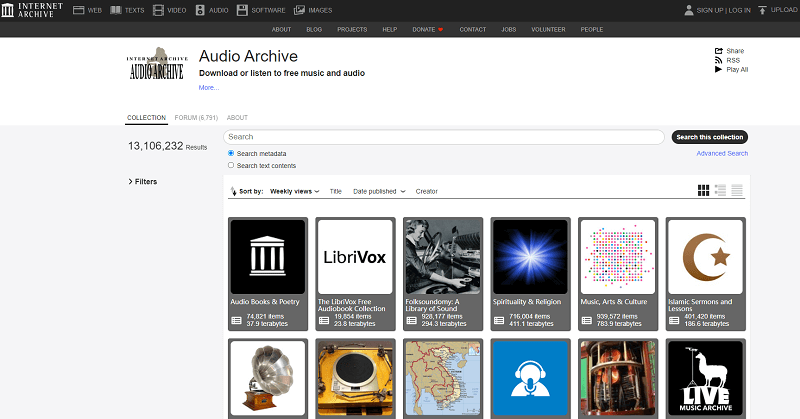
Internet Archive is one of the best free WAV music download sites, offering a massive digital library of audio content. You can discover live concerts, public domain music, radio shows, podcasts, audiobooks, and historical recordings, all available to browse online.
Many recordings are available as free WAV downloads, along with formats like FLAC, MP3, and OGG. Since most content is uploaded by different organizations and creators, audio quality and download options may vary from one collection to another.
Pros:
- 100% free to use
- Millions of audio recordings
- Includes public domain and Creative Commons content
- Supports WAV and other download formats
Cons:
- Audio quality varies by upload
- Outdated website interface
#7. Free Music Archive (FMA)
Website: https://freemusicarchive.org/home
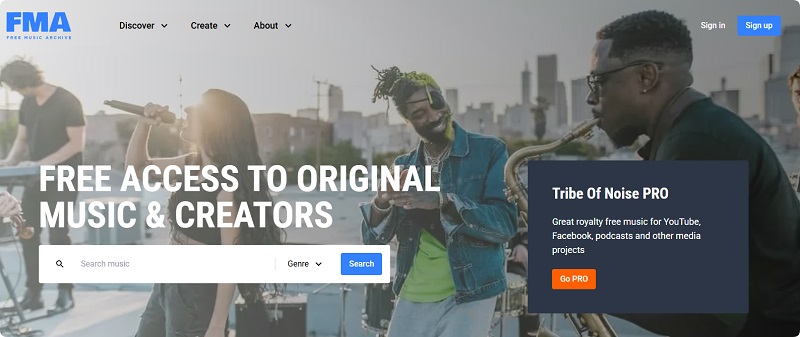
Free Music Archive (FMA) is one of the popular free music download sites that offers legal access to thousands of songs from independent artists. Its library covers various genres, including electronic, classical, rock, jazz, and ambient music.
Some tracks are available as WAV downloads, making FMA a useful resource for creators looking for free WAV music for videos, podcasts, games, and other creative projects. Many tracks also include Creative Commons licenses, allowing users to check usage permissions before downloading.
Pros:
- Free and legal music downloads
- Creative Commons licensed tracks
- Great for creators and independent projects
- Multiple music genres available
Cons:
- WAV format is not available for every track
- Smaller library compared with major music platforms
#8. Jamendo Music
Website: https://www.jamendo.com/
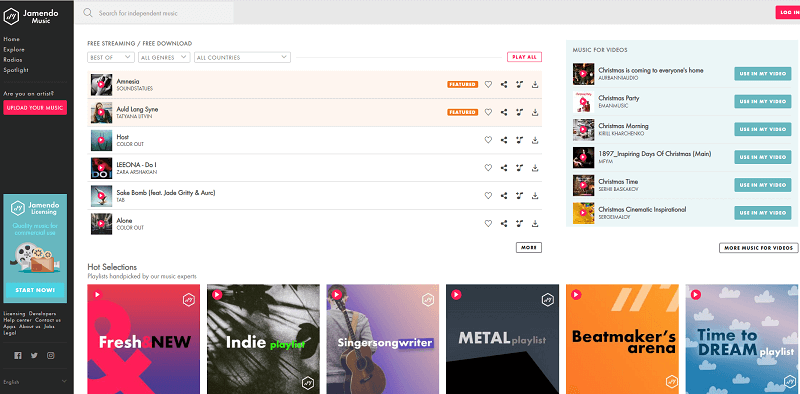
Jamendo Music is a popular platform for independent artists and royalty-free music. It offers thousands of tracks across different genres, making it a useful resource for creators looking for free music downloads, background music, and audio for videos, podcasts, and commercial projects.
Some tracks are available in WAV format, and users can explore licensing options based on their needs. Jamendo is especially helpful for creators searching for royalty free WAV music and high-quality background tracks.
Pros:
- Large independent music community
- Royalty-free and licensing options available
- Useful for videos, podcasts, and creative projects
- Wide range of music genres
Cons:
- Some commercial licenses require payment
- WAV format availability varies by track
#9. SampleSwap
Website: https://sampleswap.org/
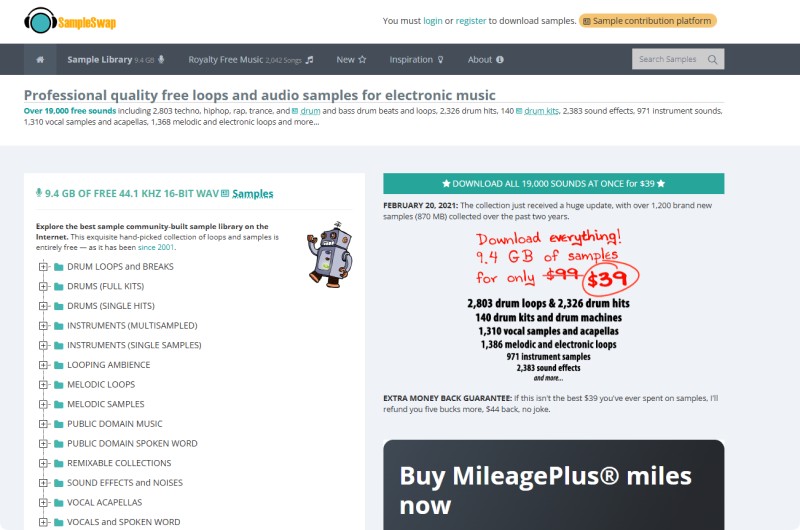
SampleSwap is a community-based platform for downloading free audio samples, loops, beats, and sound effects. It is a great resource for music producers, DJs, and creators searching for free WAV samples for music production and creative projects.
The website offers thousands of downloadable WAV files, including drum loops, instrument samples, vocal clips, and experimental sounds. Unlike traditional music download sites, SampleSwap focuses mainly on production resources rather than complete songs.
Pros:
- Free WAV samples and audio resources
- Great for producers, DJs, and musicians
- Large collection of loops and sound effects
- Community-driven audio library
Cons:
- Mostly samples rather than full music tracks
- Website interface looks outdated
#10. OpenGameArt
Website: https://opengameart.org/content/music-10
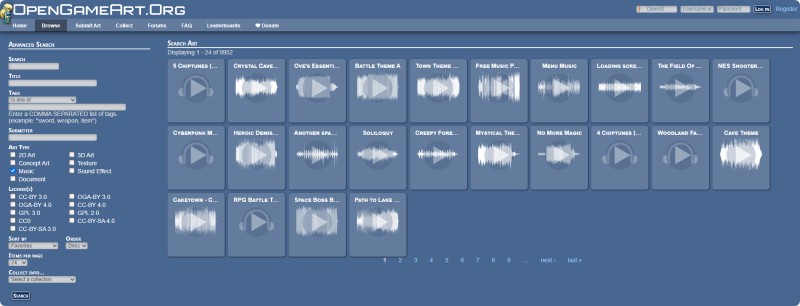
OpenGameArt is a free community-driven platform offering game assets, including music, sound effects, and audio resources. It is a useful website for developers, game creators, and content makers searching for free WAV music, background tracks, and game audio files.
The platform provides thousands of downloadable audio assets, including music loops, sound effects, and ambient sounds. Many files are available in WAV format and can be used for games, videos, animations, and other creative projects depending on their licenses.
Pros:
- Free game music and audio resources
- Many WAV files available
- Great for game developers and creators
- Community-created content with flexible licenses
Cons:
- Focused mainly on game assets rather than songs
- License terms vary between files
#11. Pixabay Music
Website: https://pixabay.com/music/
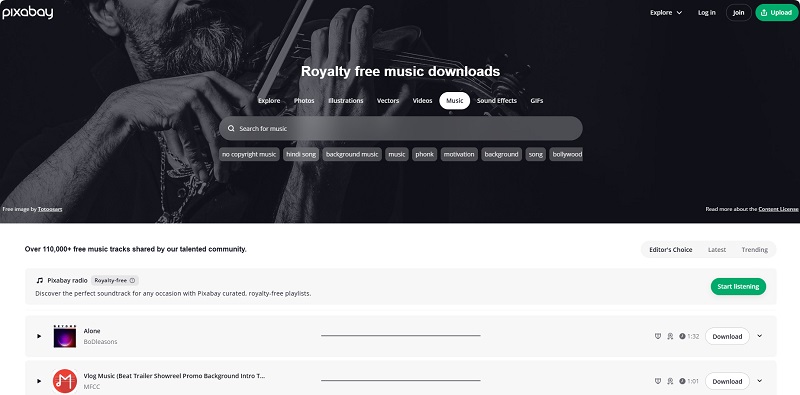
Pixabay Music is a popular free music platform offering thousands of royalty-free tracks, background music, and audio resources. It is a great choice for creators searching for free WAV music, video background tracks, podcasts, and other creative projects.
Users can browse music by genre, mood, and theme, with many tracks available for free download and use under the Pixabay Content License. While most downloads are provided in MP3 format, some creators may provide higher-quality audio files depending on the original upload.
Pros:
- Free music downloads for creators
- Large collection of royalty-free tracks
- Easy search by genre and mood
- Suitable for videos, podcasts, and online content
Cons:
- Most tracks are available in MP3 rather than WAV
- Less focused on lossless audio downloads
#12. Freesound
Website: https://freesound.org/
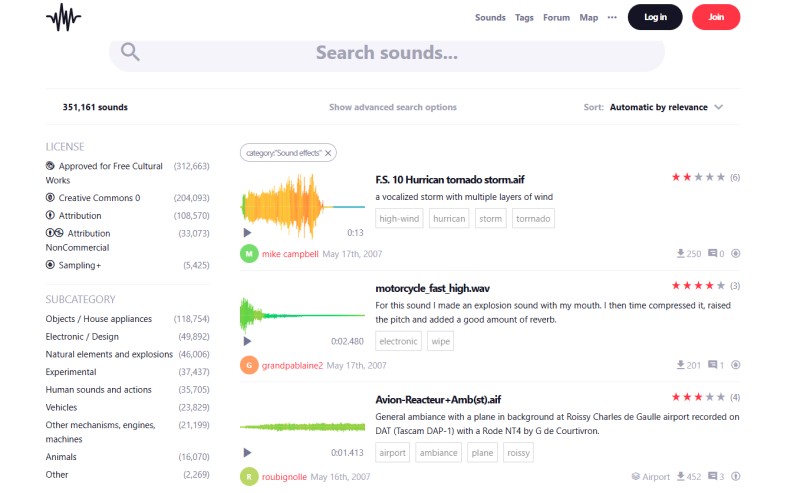
Freesound is a large collaborative audio library where users can find and download free sound effects, field recordings, samples, and other audio resources. It is a useful platform for creators, filmmakers, game developers, and musicians searching for free WAV files and high-quality audio.
The platform contains millions of sounds uploaded by its community, including ambient sounds, nature recordings, instrument samples, and experimental audio. Many files are available in WAV format, and users can check the Creative Commons licenses before downloading and using them in their projects.
Pros:
- Millions of free audio resources
- Many WAV sound files available
- Great for sound effects and creative projects
- Creative Commons licensing information provided
Cons:
- Mostly sound effects rather than full music tracks
- License restrictions vary by file
#13. Musopen
Website: https://musopen.org/
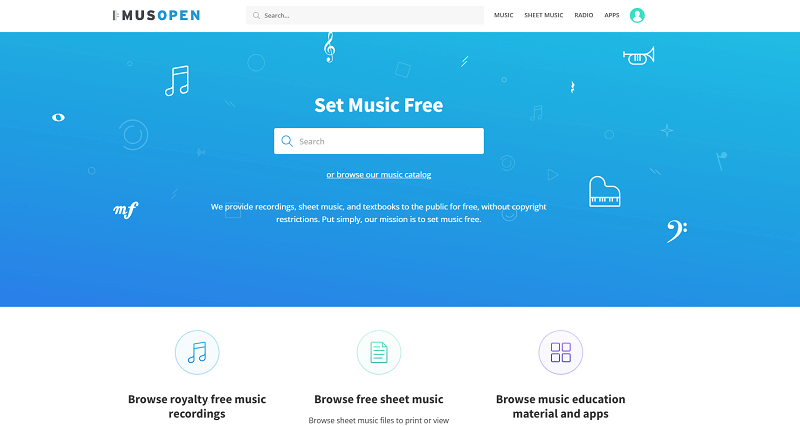
Musopen is a free music library focused on classical music recordings, sheet music, and educational resources. It provides access to thousands of classical compositions from composers such as Mozart, Beethoven, and Bach, making it a valuable resource for users searching for free WAV music downloads and public domain recordings.
The platform offers many recordings that can be downloaded in different audio formats, including high-quality options for some tracks. Musopen is especially useful for musicians, students, filmmakers, and creators who need royalty-free classical music for personal and creative projects.
Pros:
- Free classical music downloads
- Large collection of public domain recordings
- Great for educational and creative projects
- High-quality audio resources available
Cons:
- Focused mainly on classical music
- Some features require an account or subscription
Part 3. FAQs about Free WAV Music Download Sites
- Where can I download free WAV music from?
- You can download free WAV music from websites such as Free Music Archive, Musopen, Internet Archive, Pixabay Music, Freesound, and other royalty-free audio libraries. However, not every platform offers native WAV files, as some sites mainly provide MP3, FLAC, or other formats. If you want to save streaming music as WAV files, tools like Macsome Music One can help convert supported music services to WAV format.
- Are these WAV downloads really free?
- Many free WAV downloads are available through public domain or Creative Commons licenses. However, free does not always mean there are no restrictions. Always check the license details of each track, especially when using music for commercial videos, games, or other projects.
- Are free WAV download sites safe?
- Trusted platforms such as public archives, official music libraries, and well-known royalty-free websites are generally safe. Avoid unfamiliar download sites with excessive advertisements, fake download buttons, or suspicious files. Always download WAV files from reliable sources.
- What is the quality of free WAV files?
- WAV files usually provide high-quality audio because they are typically uncompressed or lossless. However, the quality of WAV files can vary depending on the original source. For the best audio experience, check details such as bit depth and sample rate before downloading.
- Is downloading free WAV music legal?
- Downloading free WAV music is legal when the files are shared by copyright owners, released under appropriate Creative Commons licenses, or available in the public domain. Since most commercial music is copyrighted, always review the usage rights before downloading or using any track.
Conclusion
Finding reliable free WAV music download sites can be challenging, especially when you need high-quality and legally available audio files. Websites like Internet Archive, Free Music Archive, Jamendo, Freesound, and Musopen provide a wide range of free audio resources, including WAV tracks, royalty-free music, sound effects, and samples for different creative needs.
For users who want to save music from supported streaming platforms such as Spotify, Apple Music, Amazon Music, Tidal, Qobuz, or YouTube Music as WAV files, Macsome Music One offers a simple way to convert and keep high-quality audio in WAV, FLAC, MP3, and other popular formats.
Whether you are an audiophile, music producer, DJ, or content creator, choosing the right WAV download solution helps you enjoy high-quality audio while meeting your listening, editing, and creative requirements. Get the best Macsome WAV Music Downloader now!!