



 Belinda Raman
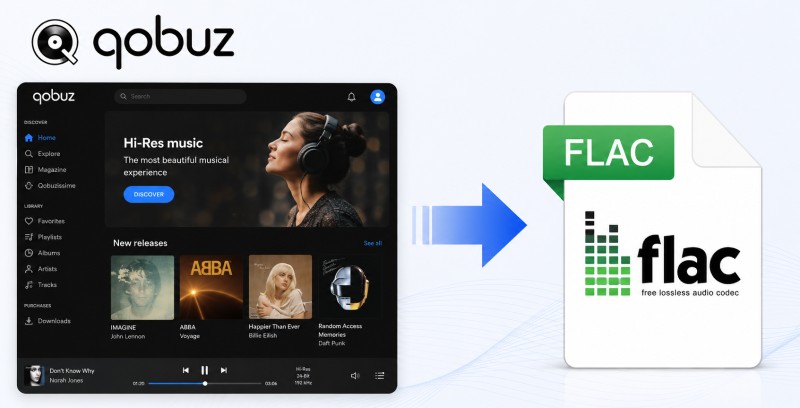
Qobuz is known for its high-quality music catalog and extensive collection of Hi-Res albums. If you want to enjoy your favorite Qobuz tracks outside the streaming app, downloading Qobuz music to FLAC is a practical way to save music in a lossless format.
FLAC is widely used by audiophiles because it preserves the original audio quality while taking up less storage space than uncompressed formats. By converting Qobuz to FLAC, you can build an offline music library, play your songs on more devices, and keep your favorite albums in lossless quality.
In this guide, we'll walk you through the different ways to download Qobuz music to FLAC. Whether you prefer a dedicated music downloader or an online conversion tool, you'll find the approach that best fits your needs.
Contents
- ⭐ Method 1. Download Qobuz Music to FLAC with Macsome Music One Recommended
- Method 2. Download Purchased Qobuz Music in FLAC (Official Method)
- Method 3. Download Qobuz Music to FLAC with Free Online Tools
- Method 4. Download Qobuz Music to FLAC with GitHub Downloaders
- FAQs about Downloading Qobuz Music to FLAC
Method 1. Download Qobuz Music to FLAC with Macsome Music One
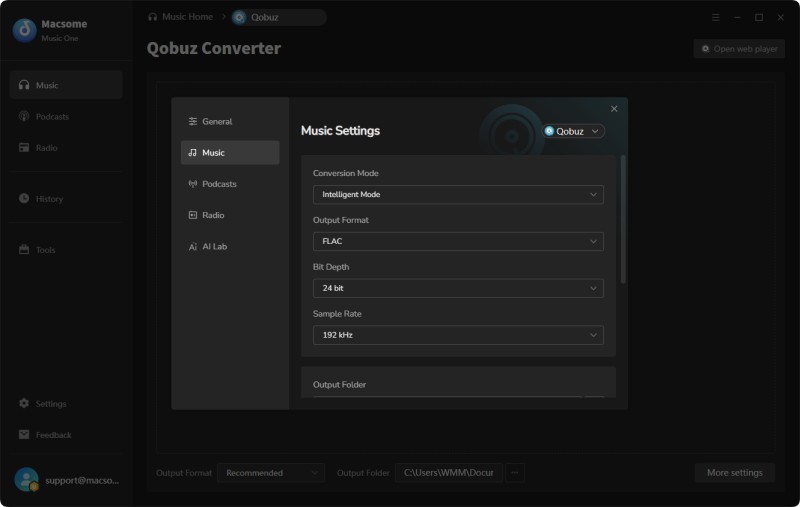
If you want to download Qobuz music to FLAC while keeping the original Hi-Res audio quality, Macsome Music One provides a simple and reliable solution. As a professional Qobuz to FLAC downloader, it allows you to save Qobuz songs, albums, and playlists as lossless FLAC files with support for up to 24-bit/192 kHz audio quality. It also preserves important information such as album artwork and ID3 tags.
In addition to FLAC, Macsome Music One supports multiple output formats, including MP3, WAV, AAC, AIFF, and ALAC. You can use it to download high-resolution music from Qobuz in MP3 or other formats based on your playback needs. The downloaded files can be saved locally and enjoyed offline on your preferred devices.
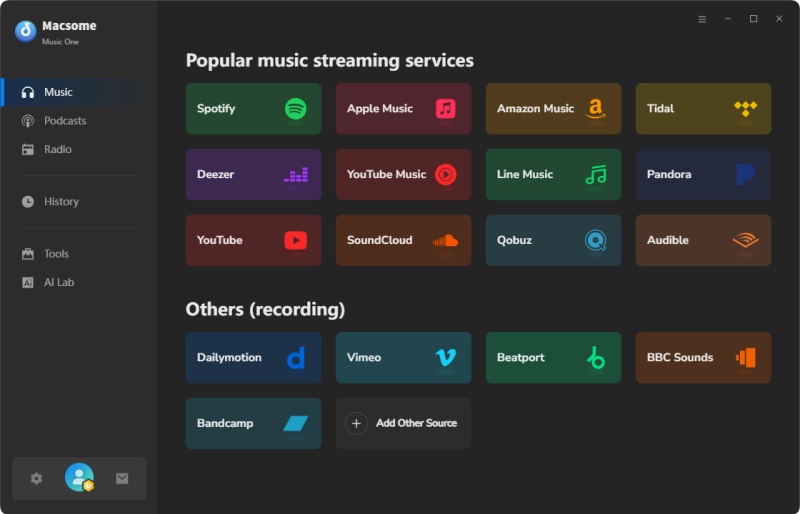
Beyond Qobuz, Macsome Music One supports music downloads from other popular platforms, including Spotify, Apple Music, Tidal, and Amazon Music. It can also capture audio from websites such as YouTube, SoundCloud, Dailymotion, and Vimeo. With built-in Podcast and Radio features, you can also discover, listen to, and save your favorite shows and episodes in one place.
Why Choose Macsome Music One as Your Qobuz FLAC Downloader?
- Download Qobuz songs, albums, and playlists to FLAC while preserving Hi-Res audio quality.
- Support lossless FLAC output and other formats including MP3 (up to 320 kbps), AAC, WAV, AIFF, and ALAC.
- Keep important metadata such as ID3 tags and album artwork after downloading.
- Batch download multiple Qobuz tracks, albums, and playlists with fast conversion speed.
- Support high-resolution audio up to 24-bit/192 kHz for an excellent offline listening experience.
- Download music from Qobuz, Spotify, Apple Music, Tidal, Amazon Music, YouTube Music, and more.
- Includes additional tools such as Tag Editor, Audio Converter, CD Burner, and Vocal Remover.
How to Download Qobuz Music to FLAC with Macsome Music One?
Step 1. Download, install, and launch Macsome Music One on your computer. Select the Qobuz module from the main interface.
Step 2. Click the Qobuz option, and the Qobuz web player will open automatically. Sign in with your Qobuz account to access your music library.
Step 3. Open the Settings panel and select FLAC as the output format. You can also adjust the audio quality and choose a preferred output folder for saving downloaded Qobuz music.
Step 4. Browse your favorite songs, albums, or playlists in the Qobuz web player. Click the "Click to Add" button to import tracks into Macsome Music One, then click the "Convert" button to start downloading Qobuz music to FLAC. The software supports batch downloading multiple Qobuz tracks at the same time.
Step 5. Once the download process is complete, open the History section and click the folder icon to locate your saved Qobuz FLAC files. You can then enjoy your music collection offline with the original audio quality preserved.
Method 2. Download Purchased Qobuz Music in FLAC (Official Method)
Qobuz provides an official way to download purchased music in FLAC format through its download store. If you buy individual tracks or albums from Qobuz, you can download them directly in CD quality or Hi-Res audio formats depending on the available options. This method is ideal for users who want to own specific albums and download them from Qobuz officially.
Step 1. Visit the Qobuz download store in your browser and open the album or track page you want to purchase. Choose your preferred audio quality from the available options, including FLAC and Hi-Res formats.
Step 2. Click "Add to basket" to add the selected album or tracks to your cart. You can review your order, change the download quality (if available), or remove items before completing your purchase.
Step 3. Click "Access Payment" to continue checkout. If you are purchasing a single track, select the "Buy" option to proceed.
Step 4. Complete the payment process and open your Qobuz account after the purchase is confirmed. Your purchased tracks and albums will be listed under "My Purchases" in your account.
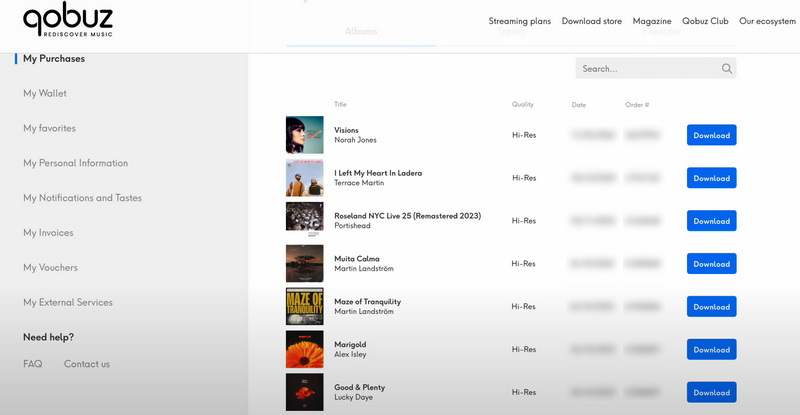
Step 5. After completing your purchase, download your Qobuz music files from your account. Select FLAC as the download format if available. You can access and re-download your purchased tracks or albums from your Qobuz account whenever needed.
Method 3. Download Qobuz Music to FLAC with Free Online Tools
If you prefer not to install desktop software, free online Qobuz to FLAC tools can be a convenient alternative. They allow you to download Qobuz music directly from your browser without installing additional applications. However, compared with desktop software, online tools often have limitations in download speed, supported content, output quality, and long-term availability.
Among the available online Qobuz downloaders, DoubleDouble and Lucida are two popular choices. Since they provide a very similar downloading experience, we'll use Lucida as an example to demonstrate how to download Qobuz music to FLAC online.
Lucida
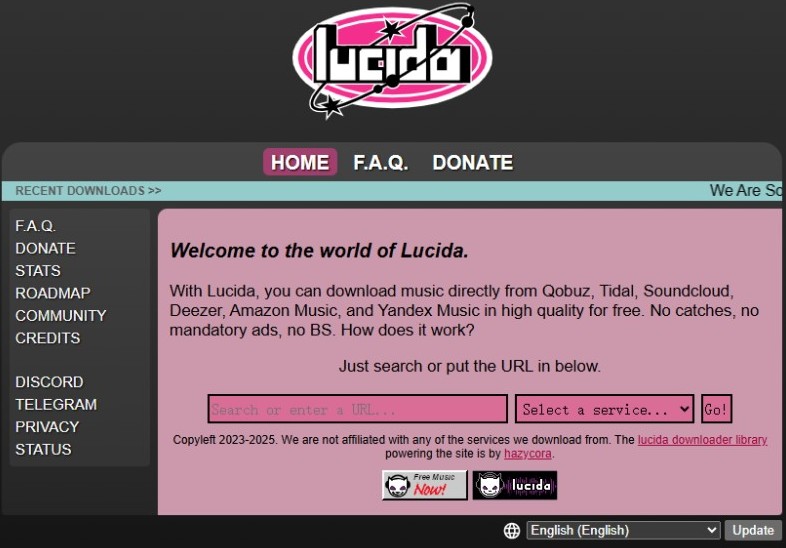
Lucida is a browser-based music downloader that supports downloading music from multiple streaming platforms, including Qobuz. It provides a quick way to save individual Qobuz tracks or albums without installing any software.
Step 1. Open the Lucida website in your web browser.
Step 2. Paste the Qobuz track or album URL, or search by the song title, artist, or album name.
Step 3. Select the desired result and choose the available download option. If FLAC is available, select it as the output format.
Step 4. Download the music file and save it to your computer for offline listening.
Method 4. Download Qobuz Music to FLAC with GitHub Downloaders
If you're comfortable with open-source software, GitHub offers several tools that can help you download Qobuz music to FLAC. Compared with online downloaders, GitHub projects typically offer more customization options, higher audio quality, and greater control over output settings. Two of the most popular GitHub Qobuz downloaders are Qobuz Downloader X (QBDLX) and Qobuz-dl. While they require some initial setup and basic technical knowledge, they are excellent options for users who want to download lossless and hi-res music from Qobuz.
Qobuz Downloader X (QBDLX)
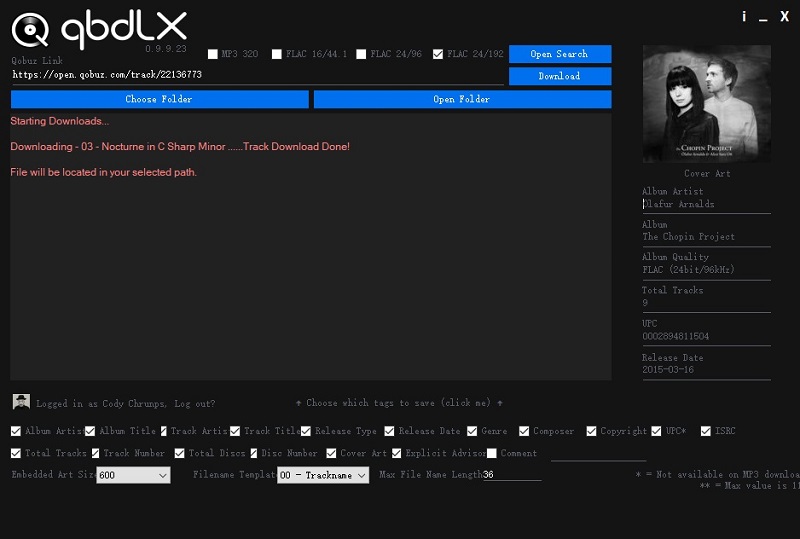
Qobuz Downloader X (QBDLX) is an open-source Qobuz FLAC downloader available on GitHub. Designed for Windows users, it lets you download Qobuz songs, albums, and playlists with an active Qobuz subscription. The tool supports multiple audio quality options, including Hi-Res FLAC up to 24-bit/192 kHz, while preserving metadata such as album artwork, artist, album title, and release date.
Step 1. Download the latest release of Qobuz Downloader X from its GitHub page and extract the downloaded archive.
Step 2. Open the extracted folder and launch the .exe file. No installation is required.
Step 3. Sign in with your Qobuz account, then paste the URL of the Qobuz track, album, or playlist you want to download.
Step 4. Choose the desired output quality and output folder, then start downloading. Once completed, you can access your downloaded Qobuz FLAC files from the selected folder.
Qobuz-dl
Qobuz-dl is another popular open-source Qobuz downloader hosted on GitHub. Unlike QBDLX, it is a command-line application that supports Windows, macOS, and Linux. It can download Qobuz tracks, albums, playlists, and other supported content in FLAC and additional audio formats.
Step 1. Install Python 3 on your computer. Windows users should enable the "Add Python to PATH" option during installation.
Step 2. Open Command Prompt (Windows) or Terminal (macOS/Linux), then install Qobuz-dl using the appropriate command below.
Linux / macOS:
pip3 install --upgrade qobuz-dl
Windows:
pip3 install windows-curses
pip3 install --upgrade qobuz-dl
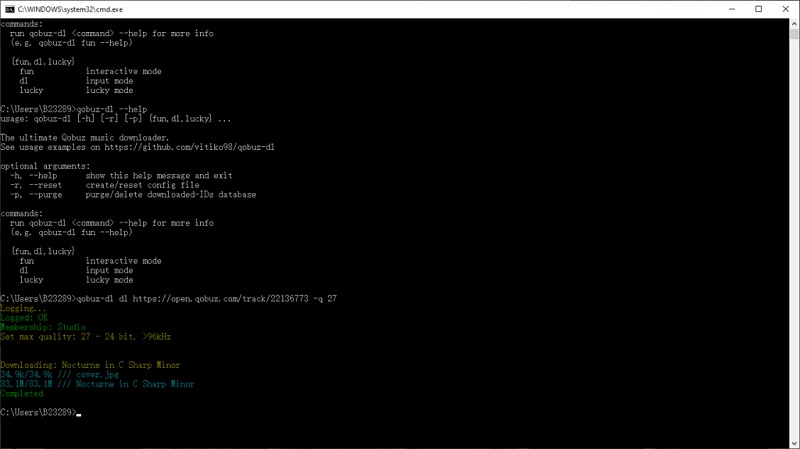
Step 3. Run the Qobuz-dl command with a Qobuz URL to start downloading. For example:
qobuz-dl dl https://play.qobuz.com/playlist/5388296 -q 27
FAQs about Downloading Qobuz Music to FLAC
- Can I download FLAC from Qobuz?
- Yes. Qobuz offers FLAC downloads for purchased music through its official download store. If you want to download streaming tracks, albums, or playlists as FLAC files, you'll need a dedicated Qobuz music downloader.
- Does Qobuz offer Hi-Res FLAC downloads?
- Yes. Qobuz is one of the few music streaming services that offers both CD-quality FLAC (16-bit/44.1 kHz) and Hi-Res FLAC downloads up to 24-bit/192 kHz for supported albums.
- Is FLAC better than MP3 for Qobuz music?
- Yes, if audio quality is your priority. FLAC is a lossless audio format that preserves all the details of the original recording, while MP3 uses lossy compression to reduce file size. FLAC is the preferred format for audiophiles and Hi-Fi audio systems.
- Can I keep downloaded Qobuz FLAC files forever?
- Purchased Qobuz downloads can be kept permanently. If you use a third-party Qobuz downloader, the downloaded files are stored locally on your computer and can be played offline without relying on the Qobuz app.
- What is the best Qobuz to FLAC downloader?
- It depends on your needs. The official Qobuz store is suitable for purchased music, while desktop software such as Macsome Music One offers an easier way to download Qobuz songs, albums, and playlists to FLAC with metadata and Hi-Res audio preserved.
Conclusion
Downloading music from Qobuz to FLAC allows you to enjoy your favorite albums with the original lossless audio quality, whether you are building a personal music library or listening offline on different devices. In this guide, we introduced several ways to complete a Qobuz to FLAC download, including the official Qobuz download store, online Qobuz download tools, and GitHub-based solutions.
The official Qobuz store is a reliable option for users who only need to download purchased albums. Online tools are convenient for quick downloads, and GitHub downloaders offer more flexibility for advanced users. However, if you want a simpler, more stable way to download Qobuz music to FLAC with hi-res audio support, batch downloads, and preserved metadata, a dedicated desktop application like Macsome Music One is a better choice.
With the right tool, you can easily save Qobuz songs, albums, and playlists as high-quality FLAC files and enjoy your music collection anytime, anywhere.