



 Russell Doe
Telegram Apple Music Bot? I've just discovered the excellent Telegram Bot for Apple Music downloads. I've switched on all the automatic download options in the Telegram for Web app, but this is only grabbing the lyrcs files and not the MP4 files. What am I doing wrong?
With the growing demand for offline music access, Apple Music Telegram bots have emerged as a popular tool for users who want to download tracks, albums, and playlists directly within Telegram. While these bots offer convenience and speed, questions remain about their reliability, audio quality, and overall safety.
Do Apple Music Telegram bots actually work as expected? Are they safe and reliable for downloading high-quality audio? In this article, we test several popular Apple Music Telegram bots, take a closer look at how they work, and break down their key limitations. We also introduce a more stable alternative for downloading Apple Music to MP3 on the desktop.
- Part 1. Apple Music Telegram Bots Explained
- Part 2. Best Apple Music Telegram Bots to Try in 2026
- Part 3. How Apple Music Telegram Bots Actually Work
-
⭐ Part 4. Best Apple Music to MP3 Telegram Bot AlternativeFaster downloads, higher quality audio, safer & more stable than Telegram bots
- Part 5. Apple Music Telegram Bots FAQs

Part 1. Apple Music Telegram Bots Explained
Apple Music Telegram bots are automated tools built into the Telegram platform that help users search for, retrieve, and download Apple Music content, such as songs, albums, and playlists. Rather than using a dedicated app or desktop software, users interact with the bot via simple chat commands. These bots typically work by processing a user's request, locating the requested track from third-party sources like YouTube, and generating a downloadable MP3 file.
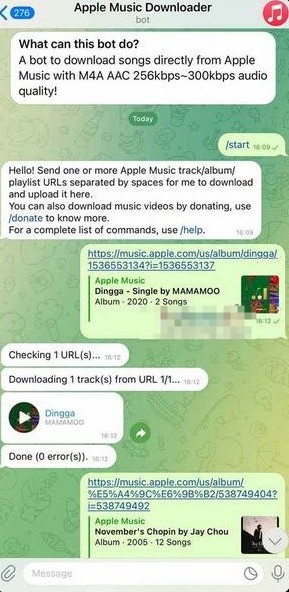
Part 2. Best Apple Music Telegram Bots to Try in 2026
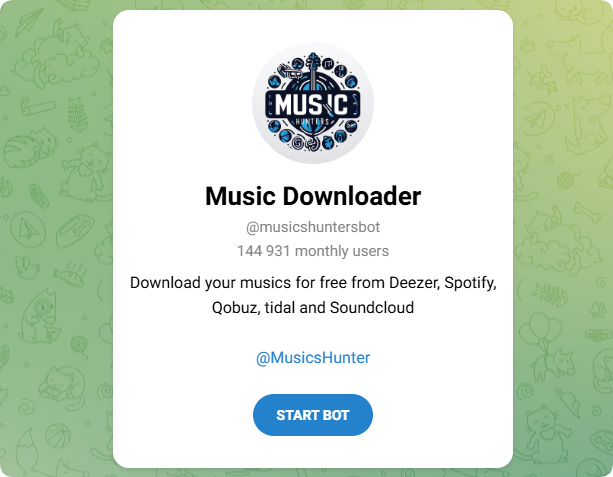
#1 @musicshuntersbot — Apple Music Telegram Downloader
Bot link: https://t.me/musicshuntersbot
@musicshuntersbot is one of the most popular Apple Music Telegram bots for downloading songs, albums, and playlists directly inside Telegram. The bot supports multiple streaming platforms, including Apple Music, Spotify, Deezer, Tidal, and SoundCloud, making it a flexible solution for users who want quick offline access to music files.
Pros:
- Supports Apple Music and multiple streaming services
- Fast music search and download speed
- Supports MP3 and high-quality audio downloads
Cons:
- Some Apple Music links may not parse correctly
- Performance can slow down during peak hours
- Bot availability may occasionally fluctuate
#2 @AppleMusicDownloaderBot — Telegram Apple Music Downloader
Bot link: https://t.me/AppleMusicDownloaderBot
@AppleMusicDownloaderBot is designed specifically for downloading Apple Music tracks through Telegram chats. Users can paste Apple Music URLs directly into the bot to retrieve downloadable audio files for offline listening.
Pros:
- Supports direct Apple Music links
- Easy setup with no extra software
- Works on both desktop and mobile Telegram apps
Cons:
- Limited support for playlists in some regions
- Download speed may fluctuate
- Occasional server downtime
#3 @SpotifyAppleMusicBot — Multi-Platform Music Downloader
Bot link: https://t.me/SpotifyAppleMusicBot
@SpotifyAppleMusicBot supports downloading music from both Spotify and Apple Music, making it a flexible option for users who stream music across multiple platforms. The bot processes shared music links and returns downloadable audio files directly in Telegram.
Pros:
- Supports both Spotify and Apple Music links
- Convenient for multi-platform users
- Simple chat-based download process
Cons:
- Audio metadata may occasionally be incomplete
- Limited advanced quality settings
- Performance depends on server traffic
#4 @MelodySaveBot — Telegram Music Saver Bot
Bot link: https://t.me/MelodySaveBot
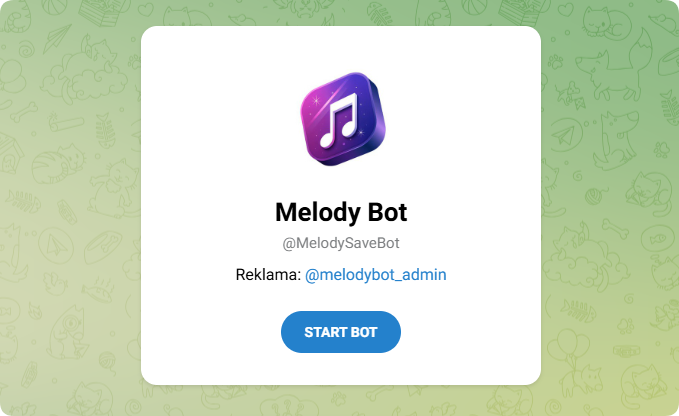
@MelodySaveBot is a lightweight Telegram bot designed for downloading music tracks quickly through shared links. It offers a clean interface and is commonly used for saving songs for offline playback.
Pros:
- Minimal and beginner-friendly interface
- Quick processing for single tracks
- Works directly inside Telegram chats
Cons:
- Playlist support can be inconsistent
- Limited file format options
- Not always reliable during peak hours
#5 @GlomaticoPinkMusicBot — Telegram Music Download Assistant
Bot link: https://t.me/GlomaticoPinkMusicBot
@GlomaticoPinkMusicBot is another Telegram music downloader designed for processing Apple Music links and generating downloadable audio files. It offers a quick workflow optimized for mobile Telegram users.
Pros:
- Mobile-friendly download experience
- Simple command-based interaction
- Fast processing for popular tracks
Cons:
- Limited batch downloading support
- May experience temporary outages
- Audio quality consistency varies
#6 @DownloadsMasterBot — Universal Telegram Downloader
Bot link: https://t.me/DownloadsMasterBot
@DownloadsMasterBot is a multi-purpose Telegram downloader bot that supports music and media downloads from various platforms, including Apple Music links shared by users.
Pros:
- Supports multiple download sources
- Works for both music and media files
- Easy Telegram integration
Cons:
- Apple Music support may be inconsistent
- Conversion speed can be slow at times
- Limited control over output quality
Part 3. How Apple Music Telegram Bots Actually Work
Most Apple Music Telegram bots follow a simple workflow that allows users to search, process, and download Apple Music tracks directly inside Telegram. Below is a step-by-step guide on how to use Apple Music Telegram bots to download songs, albums, and playlists.
Step 1. Download and install the Telegram app on your smartphone, tablet, or computer. Telegram is available for iOS, Android, Windows, macOS, and web browsers. After installation, sign up or log in with your phone number.
Step 2. Open Telegram and use the search bar to find an Apple Music Telegram bot. You can search using terms like "Apple Music Bot," "Apple Music Downloader," or "Music Download Bot." Popular bots usually include descriptions and user feedback that can help you determine whether they are active and reliable.
Step 3. Select a bot and open its chat window. Tap the Start button to activate the bot. Most bots will display a welcome message with supported commands, download instructions, and available audio formats.
Step 4. Open the Apple Music app or website and navigate to the song, album, or playlist you want to download. Tap the share button and select Copy Link to copy the Apple Music URL.
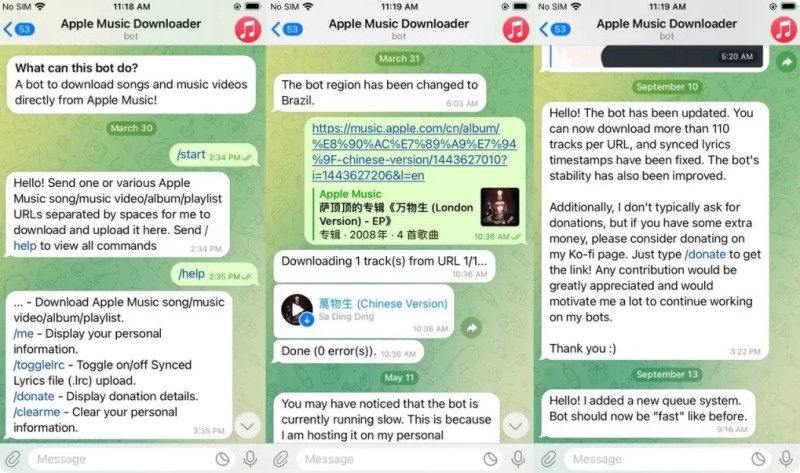
Step 5. Return to Telegram and paste the Apple Music link into the bot's chat window. After sending the message, the bot will analyze the link and begin processing the requested content.
Step 6. Some Apple Music Telegram bots allow users to choose output settings before downloading. Depending on the bot, you may be able to select formats such as MP3 or FLAC and choose different audio quality options like 128kbps, 320kbps, or lossless quality.
Step 7. Once processing is complete, the bot will generate a downloadable audio file or direct download link. Tap the file to save it to your device and listen to your Apple Music tracks offline anytime.
Part 4. Best Apple Music to MP3 Telegram Bot Alternative
Although Apple Music Telegram bots are convenient for quick downloads, many users still encounter issues such as unstable performance, low audio quality, download limits, missing metadata, and frequent bot failures. If you want a faster, safer, and more reliable solution, a professional Apple Music downloader is a much better choice.
Macsome iTunes Converter is one of the best alternatives to Apple Music Telegram bots. Unlike online bots that often fail to process playlists or large downloads, Macsome allows you to batch download Apple Music songs, albums, playlists, podcasts, and audiobooks directly to your computer with high stability and much faster speed. It can convert Apple Music to MP3, AAC, WAV, FLAC, AIFF, and ALAC while preserving original audio quality and full ID3 tags, including artwork, album name, artist, genre, and track information. The software also supports up to 320kbps MP3 output and Hi-Res Lossless quality, making it ideal for offline playback on phones, tablets, USB drives, car players, and Hi-Fi audio systems.
Why Macsome Is Better Than Apple Music Telegram Bots
- Download Apple Music songs, playlists, albums, podcasts, and audiobooks without limitations.
- Convert Apple Music to MP3, AAC, WAV, FLAC, AIFF, and ALAC formats.
- Support up to 320kbps MP3 and Hi-Res Lossless audio quality.
- Keep original ID3 tags including title, artist, album, artwork, genre, and lyrics.
- Batch download entire Apple Music playlists at up to 10X faster speed.
- No Telegram restrictions, expired bots, spam ads, or unstable download links.
- Compatible with both Windows and macOS computers.
How to Download Apple Music to MP3 Without Telegram Bots
Using Macsome Apple Music Downloader is much easier and more stable than relying on Telegram bots. Follow the steps below to download Apple Music tracks as high-quality MP3 files.
Step 1. Download, install, and launch Macsome Apple Music Downloader on your computer.
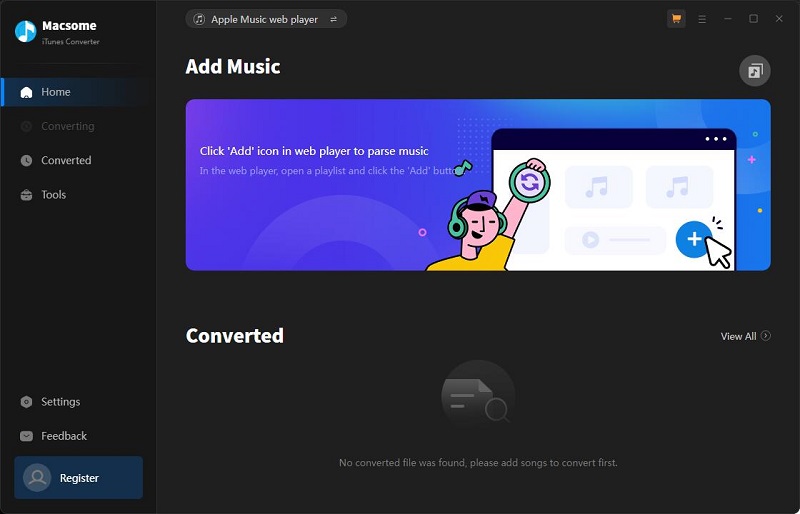
Step 2. Click the "Settings" button in the lower-left corner and choose MP3 as the output format. You can also customize the output quality up to 320kbps and select the output folder.
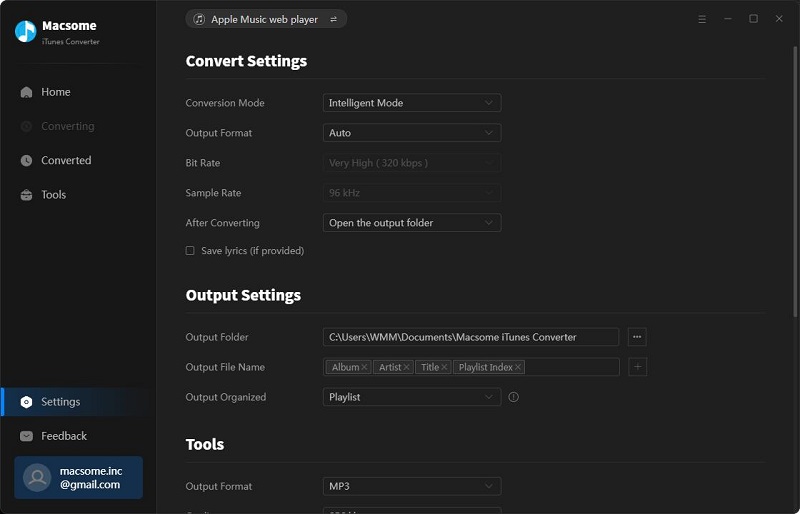
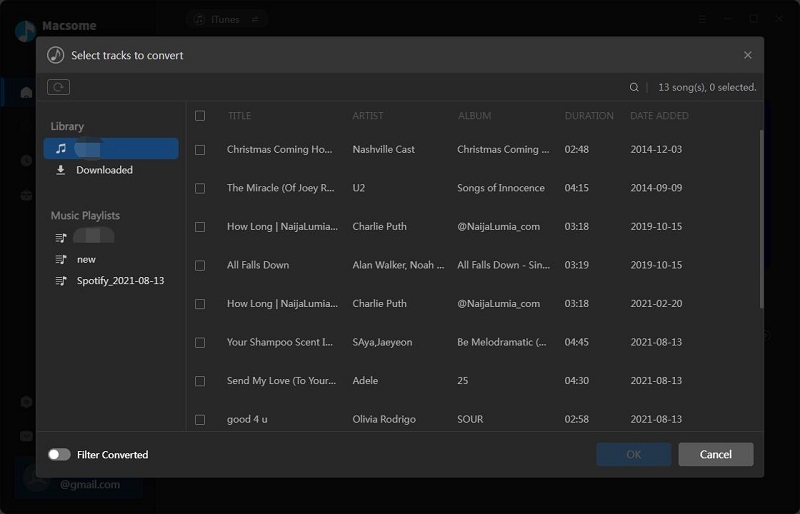
Step 3. Open the built-in Apple Music web player and browse to the playlist, album, or song you want to download. Click the "Click to add" button to load all tracks automatically.
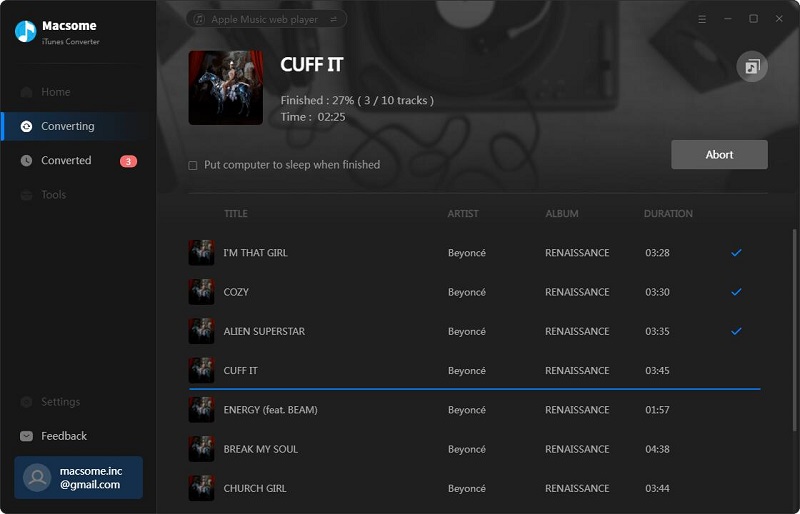
Step 4. Click the "Convert" button to start downloading Apple Music to MP3. Once finished, you can find all downloaded songs under the "History" tab for offline listening anywhere.
Part 5. Apple Music Telegram Bots FAQs
- Can I download Apple Music to MP3 using Telegram Bots?
- Yes. Some Apple Music Telegram Bots can convert songs and playlists to MP3 files. However, download quality, speed, and stability may vary depending on the bot you use.
- Are Apple Music Telegram Bots safe?
- Most popular Telegram bots are relatively safe, but some may contain spam ads, fake download links, or unstable servers. It's recommended to avoid sharing personal Apple ID information with unknown bots.
- Why are some Apple Music Telegram Bots not working?
- Telegram bots may stop working because of server issues, API restrictions, copyright complaints, or Telegram policy changes. Many bots also become overloaded during peak usage times.
- Can Telegram Bots download entire Apple Music playlists?
- Some bots support playlist downloads, but large playlists may fail or download slowly. If you frequently download full playlists, desktop tools like Macsome iTunes Converter usually provide a more stable experience.
- What audio quality do Apple Music Telegram Bots provide?
- Most bots provide standard MP3 audio quality, while a few may support higher bitrates. However, audio quality often depends on the source used by the bot, which can be inconsistent. If you want stable, high-quality output, such as 320kbps MP3 or lossless formats, a desktop tool like Macsome iTunes Converter is a more reliable option for preserving original audio quality.
Summary
Apple Music Telegram Bots offer a simple and convenient way to access and download music, making them popular for quick listening or small-scale use. However, their performance can be inconsistent, and the experience may vary depending on the bot and server conditions. As usage increases, limitations in stability, audio quality, and download completeness can become more noticeable.
For users who want a more reliable and better-organized way to manage Apple Music downloads, desktop solutions provide a more stable and structured workflow. A popular choice is Macsome iTunes Converter, which allows users to download and convert Apple Music songs, playlists, and albums into multiple formats for offline listening with better control and consistency.
Note: The free trial version of Macsome iTunes Converter lets you convert one minute of each track. To remove this limitation and unlock full features, you can upgrade to the full version.