



 Belinda Raman
"Is there a place where I can download podcasts in MP3 format?" — A question frequently asked by users on Reddit's r/podcasts community.
Podcasts have become one of the most popular ways to consume content online. From news and technology to storytelling and education, millions of listeners stream podcast episodes every day. But many users still ask a simple question: Can I download podcasts as MP3 files?
In most podcast apps, such as Spotify and Apple Podcasts, you can stream episodes. These files are typically encrypted and locked within their respective apps for offline listening. However, those downloads typically remain within the app and cannot be exported as standard MP3 files. If you want to save podcasts on your computer, transfer them to an MP3 player, or listen without platform restrictions, you'll need a Podcast to MP3 downloader.
A podcast is typically distributed through an RSS feed that links to the original audio file, and many episodes are already hosted as MP3 files or can easily be converted to MP3 for universal playback. In this guide, we'll introduce the best free podcast to MP3 downloader tools that allow you to quickly download podcast episodes and save them as MP3 files for offline listening on any device.
- Part 1. Best Free Podcast to MP3 Downloader (Online & Desktop)
- Macsome Music One – Best Podcast to MP3 Downloader (Up to 320kbps)
- #2. PodcastToMP3
- #3. SpotScribe
- #4. Listen Notes
- #5. PodcastMP3
- #6. Podcast Download RSS
- #7. PasteDownload
- #8. PodcastTranscript AI
- #9. SpotiDownloader
- #10. YTMP3
- Part 2. Comparison Table of the 10 Best Free Podcast to MP3 Downloaders
- Part 3. FAQs About Free Podcast to MP3 Downloaders
- Final Thoughts: Choosing the Best Free Podcast to MP3 Downloader
Part 1. Best Free Podcast Downloader to MP3 – 10 Online & Desktop Tools
Below are some of the best tools and methods to download podcasts as MP3 files quickly and for free.
#1. Macsome Music One – Best Podcast to MP3 Downloader (Up to 320kbps)
Macsome Podcast Downloader is built into Macsome Music One, an all-in-one streaming audio converter and downloader that includes a powerful podcast downloading feature. It is one of the most reliable desktop tools for downloading podcasts as MP3 files for offline listening.
With Macsome Music One, users can search, play, and download thousands of podcast episodes directly within the software. It supports batch downloading, allowing you to download multiple podcast episodes at once, making it a highly efficient solution for podcast fans who want to save podcasts locally.
In addition, Macsome Music One supports downloading podcasts and audio content from platforms such as Spotify, Pandora, Amazon Music, YouTube Music, and YouTube. All downloaded podcasts can be converted to MP3, AAC, WAV, AIFF, FLAC, or ALAC with output quality up to 320 kbps MP3 while preserving the original audio quality and full ID3 tags.
Key Features of Macsome Music One
- Download podcasts from Spotify, Amazon Music, Apple Podcasts, YouTube, and more.
- Convert podcasts to MP3, AAC, WAV, FLAC, AIFF, or ALAC formats.
- Discover, play, and download over 10,000 podcasts directly inside the built-in podcast directory.
- Support batch downloading with faster conversion speed.
- Preserve full ID3 tags including title, artist, track number, album artwork, and more.
- Maintain original audio quality with output up to 320 kbps MP3.
- Compatible with both free and premium streaming accounts.
How to Download Podcasts with Macsome Podcast Downloader
In the following tips, you'll learn how to use Macsome Podcast Downloader to download podcasts in MP3 format for free - no login or account required. Perfect for offline listening on the go.
Step 1. Launch Macsome Music One on your computer. Click the Podcasts tab on the left sidebar to open the built-in podcast library.
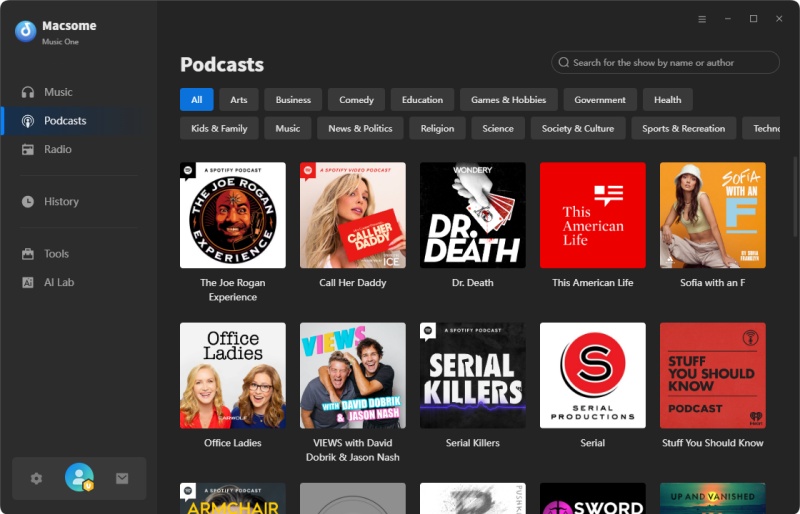
Step 2. Search for podcasts by show name, episode title, author, or keywords. Click the podcast cover to open the show page and browse available episodes. You can also click the Play button to stream episodes instantly.
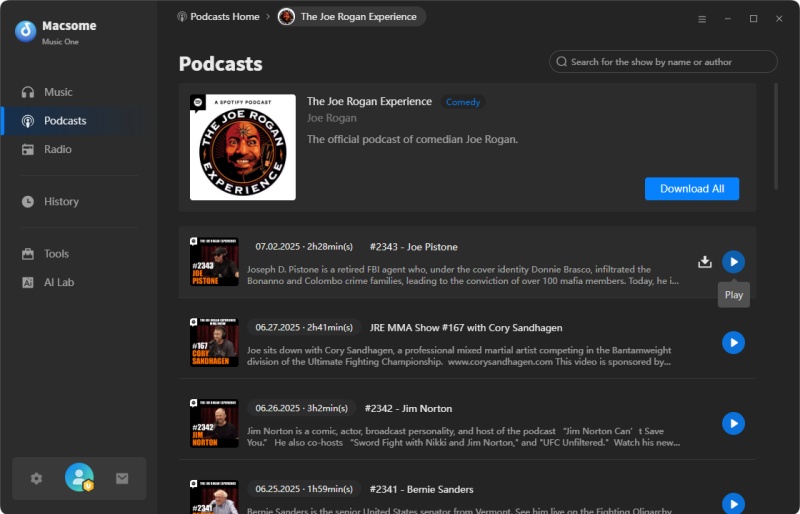
Step 3. To download podcasts, click the Download icon next to an episode. You can also select Download All to batch download all episodes of a podcast show.
Step 4. Click Add to add the selected episodes to the download list, then click Download to start downloading podcasts as MP3 files. Once completed, go to History > Folder to locate the downloaded podcast files on your computer.
Pros:
- Download podcasts from Spotify, Pandora, Amazon Music, YouTube Music, and more.
- Convert podcasts to MP3, AAC, WAV, FLAC, AIFF, or ALAC formats.
- Supports batch downloading of multiple podcast episodes.
- Preserves original audio quality with output up to 320 kbps MP3.
- Retains full ID3 tags including title, artist, and cover artwork.
- Clean, secure, and professional desktop software without ads.
Cons:
- Desktop software only.
- Installation is required.
#2. PodcastToMP3 – Free Online Podcast to MP3 Downloader
Website: https://podcasttomp3.com/
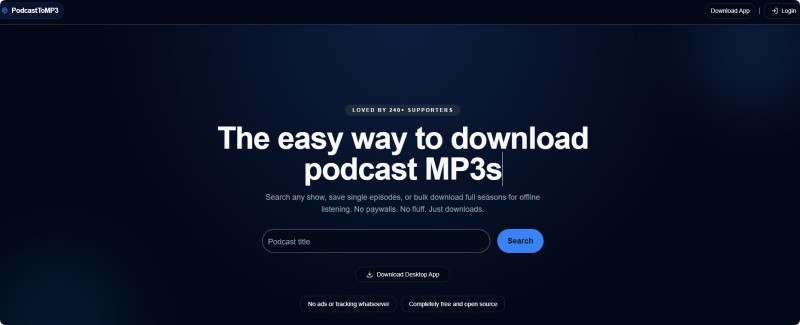
PodcastToMP3 is a simple online podcast to MP3 downloader that lets users quickly convert podcast episodes into MP3 files directly from their browser. After searching for a podcast show, you can download multiple episodes from the available list. The platform supports bulk downloading up to 100 episodes from the current view. Downloaded files are typically saved as 128 kbps MP3, which is sufficient for most spoken-audio podcasts.
How to Use PodcastToMP3?
- Step 1. Visit the PodcastToMP3 website and enter the name of the podcast show in the search bar.
- Step 2. Browse the available podcast episodes listed on the results page.
- Step 3. Select the episodes you want and start downloading them as MP3 files.
Pros:
- Free online podcast to MP3 downloader.
- Fast download speed for indexed podcasts.
- Supports downloading up to 100 episodes.
- No software installation required.
Cons:
- MP3 quality limited to 128 kbps.
- Bulk downloads still require saving files individually.
#3. SpotScribe – Spotify Podcast Transcription Tool
Website: https://spotscribe.io/
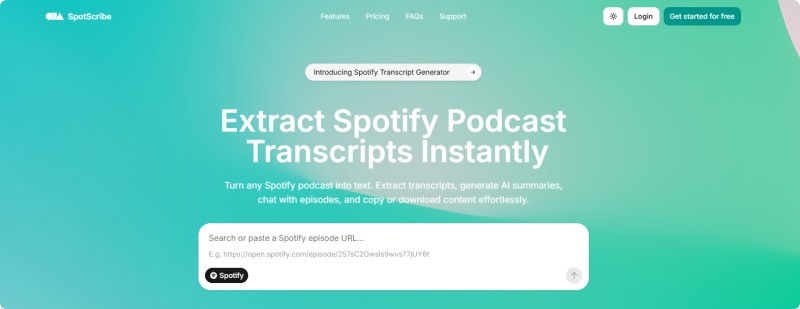
SpotScribe is an AI-powered tool designed to extract spoken content from Spotify podcast episodes and convert it into accurate transcripts. While it is not a traditional podcast to MP3 downloader, it helps users analyze podcast content and repurpose it for blogs, research, or social media. The platform requires users to sign in before generating transcripts.
How SpotScribe Spotify Podcast Transcription Tool Works
- Step 1. Copy the Spotify podcast episode URL that you want to analyze.
- Step 2. Paste the link into the SpotScribe input box on the website.
- Step 3. Sign in to your account and generate the podcast transcript.
Pros:
- AI-powered podcast transcription.
- Makes podcasts searchable and easier to analyze.
- Useful for content creators and marketers.
Cons:
- Requires account login.
- Focuses on transcripts rather than MP3 downloads.
#4. Listen Notes – Large Podcast Search Engine
Website: https://www.listennotes.com/
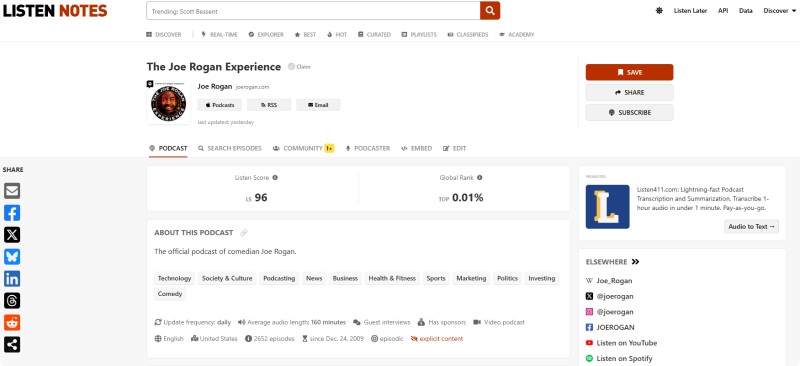
Listen Notes is one of the largest podcast search engines on the internet, helping users discover millions of podcast episodes across different platforms. While its main function is podcast discovery, many episode pages include direct MP3 audio links that can be downloaded. This makes it a convenient way to save podcast audio for offline playback. MP3 download quality usually matches the original source, commonly 128 kbps to 192 kbps.
How to Use Listen Notes Podcast Downloader?
- Step 1. Visit the Listen Notes website and search for a podcast show or topic.
- Step 2. Open the podcast episode page from the search results.
- Step 3. Download the audio file if a direct MP3 download link is available.
Pros:
- Huge podcast database.
- Easy podcast discovery.
- Some episodes provide direct MP3 downloads.
Cons:
- Not all podcasts allow downloads.
- No batch download feature.
#5. Podcast MP3 Downloader – Simple Podcast URL Converter
Website: https://podcastmp3.com/
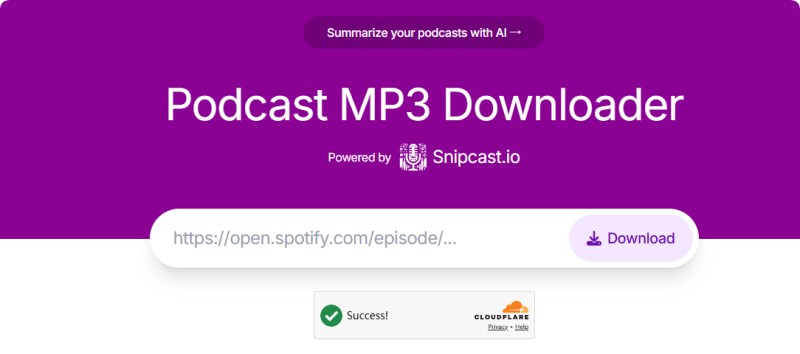
PodcastMP3.com is a lightweight web-based podcast to MP3 downloader designed for quick conversions. Users simply paste a podcast episode link into the converter and the tool extracts the audio for download. It works with many popular podcast platforms and requires no software installation. The downloaded podcast files are usually provided as MP3 at around 128–192 kbps, which is standard quality for streaming podcasts.
How Podcast MP3 Downloader Works
- Step 1. Copy the podcast episode URL from the podcast platform.
- Step 2. Paste the link into the PodcastMP3 downloader input field.
- Step 3. Click the Download button and download the generated MP3 file.
Pros:
- Very easy to use.
- No installation required.
- Quick MP3 conversion.
Cons:
- Limited supported platforms.
- Audio quality may vary depending on the source.
#6. Podcast Download RSS – Download Podcasts via RSS Feed
Website: https://podcastdownloadrss.cn/
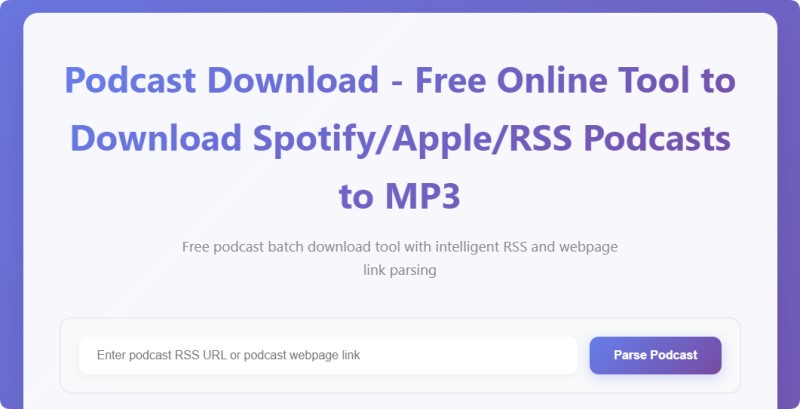
Podcast Download RSS allows users to download podcast episodes directly through RSS feeds. By entering the RSS feed of a podcast show, the tool lists available episodes and provides download links for each one. This approach works well for archiving podcast content or downloading multiple episodes manually. The MP3 audio quality generally matches the original podcast source, typically 128 kbps or higher, depending on the feed.
How Podcast Download RSS Works
- Step 1. Copy the RSS feed URL of the podcast you want to download.
- Step 2. Paste the RSS link into the Podcast Download RSS tool.
- Step 3. Select the desired episodes and click the download button to get MP3 files.
Pros:
- Works with many podcast RSS feeds.
- Allows downloading multiple episodes.
- No software installation needed.
Cons:
- The interface is relatively basic.
- Some RSS feeds may not load correctly.
#7. PasteDownload – Spotify Podcast to MP3 Downloader
Website: https://pastedownload.com/spotify-mp3-downloader/
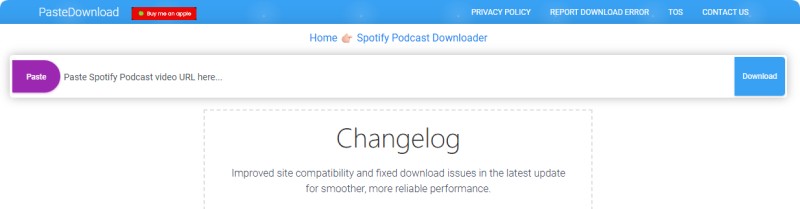
PasteDownload offers a browser-based Spotify podcast downloader that converts Spotify podcast links into downloadable audio files. Users simply paste a Spotify episode link into the tool to generate a downloadable MP3 file. It works directly online without requiring any software installation. The resulting MP3 files typically range between 128 kbps and 192 kbps, depending on the extracted audio source.
How PasteDownload Spotify Podcast to MP3 Downloader Works
- Step 1. Copy the Spotify podcast episode URL that you want to download.
- Step 2. Paste the link into the PasteDownload Spotify downloader.
- Step 3. Click the Download button and download the MP3 audio file.
Pros:
- Works with Spotify podcast links.
- Easy browser-based tool.
- No installation required.
Cons:
- Conversion speed may be slow.
- The website contains ads.
#8. Podcast Transcript AI Downloader – Podcast Audio & Transcript Tool
Website: https://podcasttranscript.ai/download
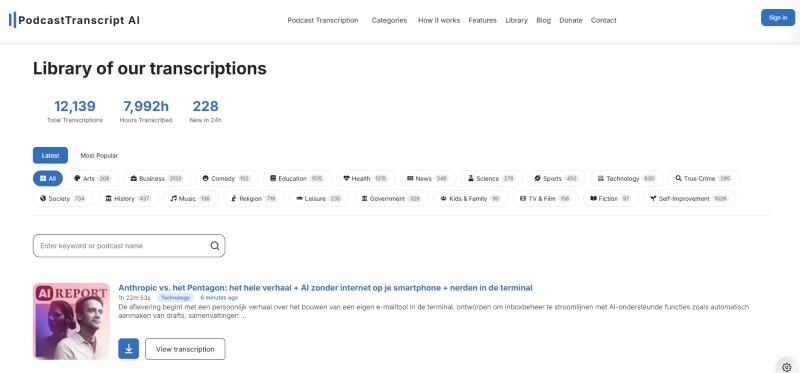
Podcast Transcript AI Downloader combines podcast downloading with AI transcription technology. Users can paste a podcast episode link and the platform processes the audio while generating a full transcript. This makes it useful for content creators who want both audio and text versions of podcast discussions. The downloaded audio is usually available in MP3 format with quality matching the original podcast stream (typically 128 kbps).
How to Use Podcast Transcript AI Downloader?
- Step 1. Go to the PodcastTranscript AI website. Search for the specific podcast or episode you want using the search bar, or browse by categories like topics, genres, or popular shows.
- Step 2. Select the desired episode from the results. Look for the download arrow icon next to the episode. Select Audio (.MP3).
- Step 3. The site will generate or fetch the MP3 file for free. Once the download starts, save the MP3 file to your device.
Pros:
- AI-powered podcast transcription.
- Useful for content repurposing.
- Supports multiple podcast sources.
Cons:
- Not primarily designed for MP3 downloads.
- Some features require payment.
#9. SpotiDownloader – Free Spotify Podcast Downloader
Website: https://spotidownloader.com/
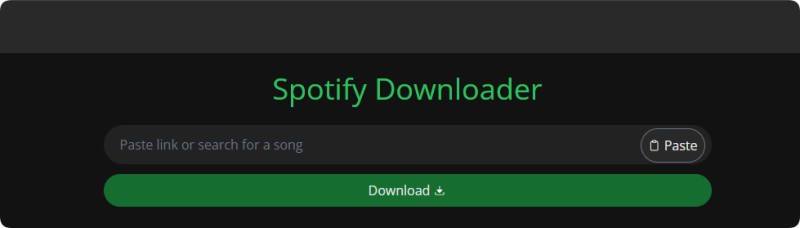
SpotiDownloader (formerly SpotifyDown) is a free online tool designed to download Spotify podcasts. Users can convert an episode into a downloadable MP3 file by copying and pasting a Spotify podcast URL. This tool is popular among users who want a quick solution that doesn't require installing additional software. Depending on the source, the MP3 output quality typically ranges from 128 kbps to around 192 kbps.
How to Use SpotiDownloader Spotify Podcast Downloader
- Step 1. Copy the Spotify podcast episode link from the Spotify platform.
- Step 2. Paste the URL into the SpotiDownloader tool on the website.
- Step 3. Generate the download link and save the MP3 file.
Pros:
- Supports Spotify podcast downloads.
- No installation required.
- Simple and easy interface.
Cons:
- Conversion may fail occasionally.
- Audio quality depends on the source.
#10. YTMP3 – Convert YouTube Podcast Videos to MP3
Website: https://ytmp3.sc/
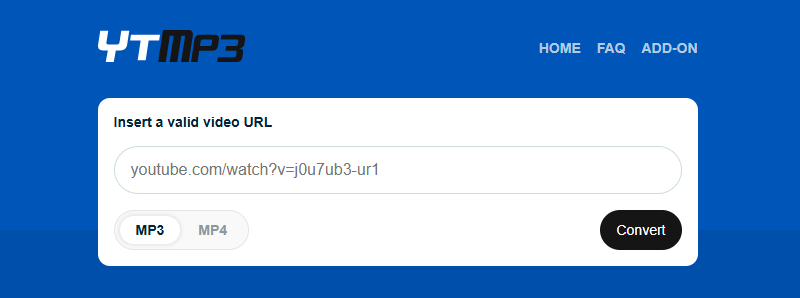
YTMP3 is widely used to convert YouTube videos into MP3 files, making it useful for downloading podcasts that are published on YouTube. Many podcast creators upload full episodes as video content, which can be easily converted into audio using this tool. Users simply paste the YouTube video URL and start the conversion process. The generated MP3 files usually support up to 192 kbps audio quality.
How to Convert YouTube Podcast Videos to MP3 Using YTMP3?
- Step 1. Copy the YouTube podcast video link.
- Step 2. Paste the video URL into the YTMP3 converter.
- Step 3. Convert the video and download the MP3 audio file.
Pros:
- Fast YouTube video podcasts to MP3 conversion.
- No software installation required.
- Very simple to use.
Cons:
- Limited audio quality options.
- The website may contain ads or pop-ups.
Part 2. Comparison Table of the 10 Best Free Podcast to MP3 Downloaders
The table below compares the top 10 free podcast to MP3 downloaders based on supported platforms, MP3 quality, batch download capability, and ease of use to help you choose the best one.
| Tool | Type | Supported Sources | Batch Download | MP3 Quality | Ease of Use |
|---|---|---|---|---|---|
| Macsome Music One | Desktop | Spotify, Amazon Music, YouTube Music, Pandora, Podcasts | Yes | Up to 320 kbps | ⭐⭐⭐⭐⭐ |
| PodcastToMP3 | Online | Podcast directories | Limited | 128 kbps | ⭐⭐⭐⭐ |
| SpotScribe | Online | Spotify Podcasts | No | Source quality (~128 kbps) | ⭐⭐⭐ |
| Listen Notes | Online | Podcast directories | No | Source quality (128–192 kbps) | ⭐⭐⭐⭐ |
| Podcast MP3 Downloader | Online | Podcast URLs | No | 128–192 kbps | ⭐⭐⭐ |
| Podcast Download RSS | Online | RSS Feeds | Limited | Source quality (128 kbps+) | ⭐⭐⭐ |
| PasteDownload | Online | Spotify Podcast Links | No | 128–192 kbps | ⭐⭐⭐ |
| Podcast Transcript AI | Online | Podcast URLs | No | Source quality (~128 kbps) | ⭐⭐⭐ |
| SpotiDownloader | Online | Spotify Podcasts | No | 128–192 kbps | ⭐⭐⭐ |
| YTMP3 | Online | YouTube Podcast Videos | No | Up to 192 kbps | ⭐⭐⭐⭐ |
Among these tools, Macsome Music One stands out as the most powerful desktop podcast downloader, offering batch downloads and high-quality MP3 output up to 320 kbps. Online tools like PodcastToMP3 or YTMP3 are convenient for occasional downloads but usually provide lower audio quality and fewer advanced features.
Part 3. FAQs About Free Podcast to MP3 Downloaders
- Is it legal to download podcasts to MP3 for free?
- Yes, in most cases, for personal, offline use — especially with public RSS feeds or shows that allow downloads. Many podcasters encourage archiving for personal listening, such as on flights when no data is needed.
However, streaming platforms like Spotify often prohibit exporting or converting their exclusive podcasts via their terms of service, though enforcement is rare for personal use. Do not share, redistribute, or use downloaded MP3s commercially, as this violates copyright laws. Always check the podcast's terms of service or website for explicit permissions. - Are free podcast to MP3 downloaders safe to use?
- It varies:
- Desktop Tools (Macsome Music One): They are generally the safest option because there are no browser risks or pop-up ads, and they receive regular updates from reputable companies.
- Online tools like PodcastToMP3 are very safe. They have minimal ads and no reported tracking, and they use HTTPS security.
- Others (PasteDownload and some Spotify-focused sites): They often have ads and pop-ups. Use an ad blocker, avoid entering personal information, and scan downloads with antivirus software. Stick to well-reviewed sites to minimize malware risks. For 100% safety, use desktop apps.
- Can I download Spotify podcasts to MP3 for free?
- If you're looking for an online solution, try tools like PodcastToMP3, SpotScribe, PasteDownload, or SpotiDownloader. With these tools, you can quickly and conveniently download podcasts by simply pasting a link or performing a search. If you prefer desktop software, Macsome Music One is ideal for more frequent or serious users because it allows you to download Spotify podcasts at 320 kbps MP3 quality and offers advanced features such as batch downloading and higher-quality conversions.
- Do these tools preserve episode metadata, artwork, and chapters?
- Leading desktop software like Macsome Music One provides comprehensive support for metadata, including full ID3 tags, cover art, descriptions, and even chapters, ensuring a rich and organized listening experience. Online tools, on the other hand, typically only offer basic information, such as the title and artist, and often lack support for artwork or advanced features like chapters.
Final Thoughts: Choosing the Best Free Podcast to MP3 Downloader
When it comes to selecting the best free podcast to MP3 downloader, your choice should depend on your specific needs and preferences. For desktop users who value advanced features such as batch downloading, high-quality output (up to 320 kbps), and full metadata support, Macsome Music One is the clear standout. It includes a powerful built-in podcast downloader that can handle up to 10,000 episodes in MP3 format and also supports downloading from platforms like Spotify, Amazon Music, Pandora, and more.
If you prefer a quick, browser-based solution without installation, PodcastToMP3 is the top online choice. It offers a clean, ad-free interface, built-in search functionality, and reliable single or bulk downloads. Other strong contenders like SpotScribe, SpotiDownloader, Listen Notes, and PasteDownload also bring unique features to the table, especially for niche use cases like Spotify downloads or RSS-based podcasting.
Ultimately, for most users, Macsome Music One and PodcastToMP3 are the best starting points — the former for high-quality, feature-rich downloads, and the latter for fast, no-setup convenience. Choose the one that fits your workflow and start downloading your favorite podcasts for offline listening today!