



 Belinda Raman
Are you looking to download the SoundCloud APK for Android in 2026? This ultimate guide shows you exactly how to safely download and install the latest official SoundCloud app with new features, early access updates not yet on Google Play, a region-unlocked version, or a SoundCloud MOD APK (Premium Unlocked, No Ads) on any Android device. Enjoy ad-free offline playback and unlimited skips with a SoundCloud MOD APK!
With over million tracks from independent artists, rising stars, and global DJs, SoundCloud remains one of the top free music streaming platforms worldwide. Below we compare the official SoundCloud APK and popular SoundCloud MOD APKs, highlight safe download sources in 2026, and share the reliable methods to permanently download songs from SoundCloud to MP3 on Android — no subscription required.
- 🎵 Part 1. What is SoundCloud APK for Android
- 🧩 Part 2. What is SoundCloud MOD APK
- ⚖️ Part 3. SoundCloud APK vs. SoundCloud MOD APK
- 🔒 Part 4. How to Safely Download SoundCloud APK on Android
- ⬇️ Part 5. Can You Download Songs with the SoundCloud APK?
- 🚀 Part 6. Best Alternative to SoundCloud APK for Downloading Songs to Android Permanently
- ❓ Part 7. Frequently Asked Questions (FAQ) – SoundCloud APK Android 2026
Part 1. What is SoundCloud APK for Android
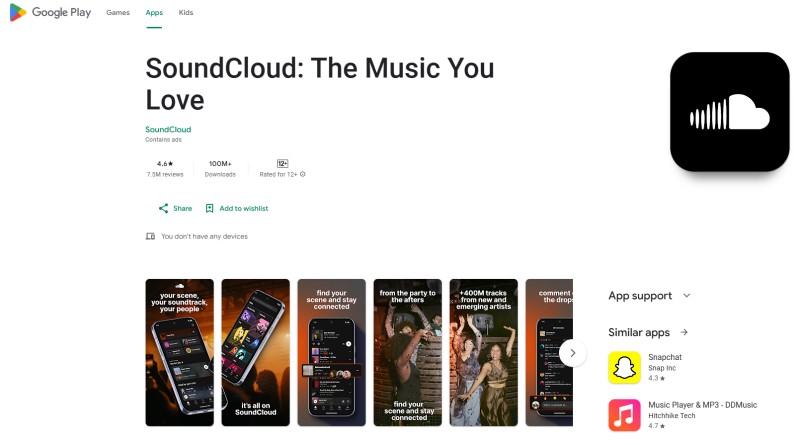
SoundCloud APK is the Android application package file for the official SoundCloud mobile app. It can be obtained from the Google Play Store, which is recommended for automatic updates and maximum safety, or downloaded manually from trusted sources such as the SoundCloud website, APKMirror, or Uptodown. This is the primary method of accessing SoundCloud on Android devices. The official SoundCloud app lets you stream millions of tracks from creators around the world directly to your device. However, it does not automatically allow you to save full MP3 files to your phone storage.
Part 2. What is SoundCloud MOD APK
SoundCloud MOD APK is a modified version of the official SoundCloud Android app. These MOD APKs are created by third-party developers who alter the original app's code by decompiling it, bypassing restrictions, and adding unauthorized features. Then, they repackage it as a new APK file. Unlike the official app, MOD versions are not developed, distributed, or authorized by SoundCloud. It is created by third parties and shared on unofficial APK websites.
Features of SoundCloud MOD APKs:
- Ad-free listening (no interruptions from ads).
- Offline downloads (save tracks/playlists for listening without internet)
- Unlimited skips, likes, reposts, or high-quality audio streaming
- Access to the full catalog without restrictions
Best SoundCloud MOD APK 2026 (Premium Unlocked, No Ads) – Top 3 Downloads:
| SoundCloud MOD APK | Size | Requirements | Last Updated |
|---|---|---|---|
| APKDONE SoundCloud MOD APK-beta (Premium Unlocked) | 59 MB | Android 9.0+ | February 23, 2026 |
| LITEAPKS SoundCloud-beta MOD APK (Premium Unlocked, AD-Free) | 72 MB | Android 8.0+ | February 23, 2026 |
| MODYOLO SoundCloud MOD APK (Premium Unlocked, AD-Free) | 82 MB | Android 8.0+ | February 23, 2026 |
Note: To ensure your device remains secure, stick with verified sources.
Part 3. SoundCloud APK vs. SoundCloud MOD APK
The official SoundCloud APK provides the standard music streaming experience with full security and regular updates. Users can stream and explore tracks for free, but some premium features require subscriptions. On the other hand, a SoundCloud MOD APK is a modified version that may unlock premium features like offline downloads and ad-free listening. However, MOD APKs can pose security risks, may be unstable, and are not officially supported. Always use trusted sources if you choose to install a MOD version.
| Feature | Official SoundCloud APK | SoundCloud MOD APK |
|---|---|---|
| Free Streaming | ✅ | ✅ |
| Offline Download | ❌ | ✅ (depending on MOD) |
| Ad-Free Experience | ❌ | ✅ (depending on MOD) |
| Security | High | Varies – risky if from untrusted sources |
| Official Support | ✅ | ❌ |
Part 4. How to Safely Download SoundCloud APK on Android
Downloading the SoundCloud APK on Android is simple, but choosing the right source is essential. You should always download the APK from verified and reputable websites like APKMirror or directly from Google Play when available. Avoid unknown third‑party platforms that may bundle malware or modified files. Taking a few extra minutes to verify the source can protect your device, your data, and your SoundCloud account.
Steps to Safely Download SoundCloud APK on Android:
- Step 1. Check the Official Source: Visit the official SoundCloud website or one of its verified distribution channels to check for the latest APK version. Downloading from official sources ensures that the file is secure and up to date.
- Step 2. Verify the Download Website: If you are using a third-party site, make sure that it is reputable. Look for HTTPS security, clear version details, and recent update information. Avoid sites with excessive ads, pop-ups, or suspicious redirects.
- Step 3. Enable Unknown App Installation: On your Android device, go to Settings > Security (or Privacy) > Install Unknown Apps, and allow permission for your browser. This enables manual APK installation. You can disable this option again after installing.
- Step 4. Download the Correct Version: Select the latest version that is compatible with your Android device. Check the file size and version number before downloading to avoid installation errors.
- Step 5. Scan the APK File: Before installing, scan the APK with your device’s built-in security tools or a trusted antivirus app. This adds an extra layer of protection.
- Step 6. Install and Open the App: Find the downloaded file, tap Install, and wait for the process to finish. Once installed, open SoundCloud and log in to start streaming.
Part 5. Can You Download Songs with the SoundCloud APK?
Many Android users assume that installing the SoundCloud APK allows them to directly download songs to their device. However, this is a common misconception. While the official SoundCloud app lets you stream music online and organize playlists, it does not provide full control over music files, even with a SoundCloud Go or Go+ subscription.
Offline tracks are stored as encrypted caches within the app. This means you cannot export them as MP3s, transfer them to a USB drive, move them to another device, or keep them permanently if your subscription ends. Although Offline Mode allows you to listen without an internet connection, the files are locked inside the app and cannot be played outside of SoundCloud. Therefore, installing the APK alone does not give you true ownership of the music or the ability to save songs permanently on your Android device.
Part 6. Best Alternative to SoundCloud APK for Downloading Songs to Android Permanently
While the SoundCloud APK lets you stream music and use Offline Mode, it doesn’t provide permanent downloads that you can freely manage or transfer. If you want to save SoundCloud songs to your Android device as real audio files, you’ll need a more flexible solution.
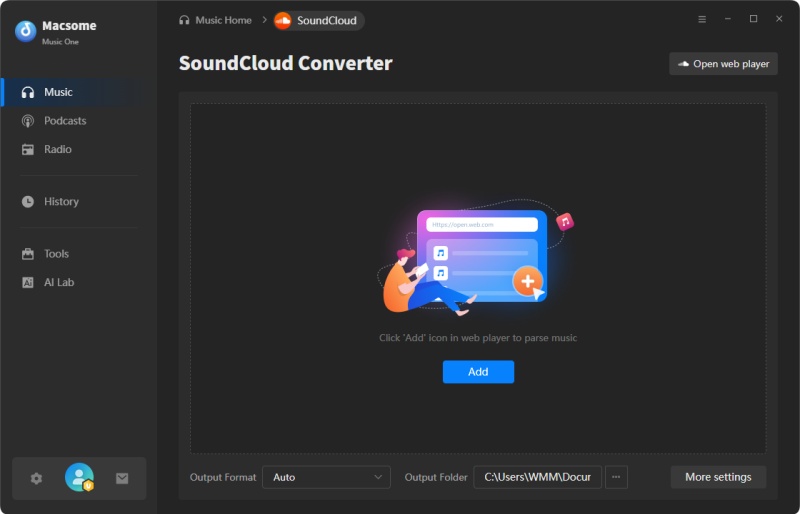
A reliable alternative to SoundCloud APK is Macsome Music One. It allows you to download SoundCloud tracks, artists, and playlists in common formats such as MP3, AAC, WAV, FLAC, AIFF, and ALAC. The downloaded files are stored locally on your computer and can be transferred to any Android device without restrictions.
Macsome Music One also preserves original audio quality and complete ID3 tags, including title, artist, album, genre, and artwork, keeping your music library organized after transfer. With batch downloading support, you can efficiently convert individual tracks or full playlists. Compared to the SoundCloud APK alone, this method gives you full control over your music files for permanent playback and device-to-device transfer.
Key Features of Macsome Music One
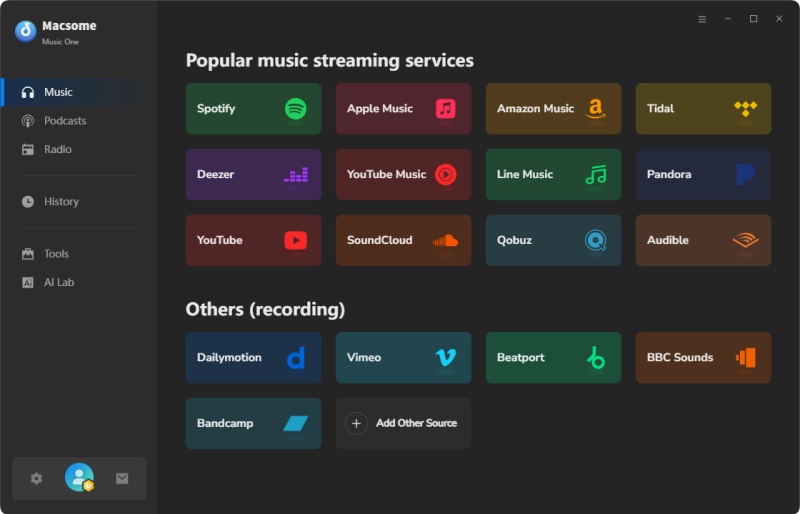
- Support downloading music from SoundCloud, Spotify, Apple Music, Tidal, YouTube Music, Deezer, Vimeo, Dailymotion, etc.
- Convert SoundCloud music to MP3, AAC, WAV, FLAC, AIFF, or ALAC.
- Support batch downloading and 10x faster speed, and remove ads from the free version.
- Almost all the ID3 tags will be preserved, including track number, title, artist, etc.
- Preserve the original quality of the tracks after download.
- Suitable for both SoundCloud Go+ and Free accounts.
- Free download podcasts, radios, convert local files, edit tags, etc.
Step-by-step Guide: How to Use Macsome Music One as an Alternative to SoundCloud APK
Follow these steps to download and transfer SoundCloud songs as permanent audio files:
Step 1. Download, install, and launch the Macsome SoundCloud Downloader on your computer. Open the program and choose SoundCloud as your source platform. Sign in with your SoundCloud account within the built-in web player. This allows the software to access your playlists, liked tracks, and artists.
Step 2. Browse SoundCloud and open the track, album, or playlist you want to download. Click the "Click to add" button to load songs into the conversion list.
Step 3. Click the settings panel to select your preferred output format (MP3, AAC, WAV, FLAC, AIFF, or ALAC). You can also adjust bitrate, sample rate, and output folder based on your needs.
Step 4. Click "Convert" to begin downloading. The software will batch convert your selected tracks while preserving original audio quality and ID3 metadata.
Step 5. Once completed, locate the downloaded files in the output folder. Connect your Android device via USB or use wireless transfer tools to copy the audio files to your phone. You can now play them with any standard music player—no subscription or app restriction required.
Part 7. Frequently Asked Questions (FAQ) – SoundCloud APK Android 2026
1. Is SoundCloud APK Android free?
Yes, the official SoundCloud app is available to download for free and allows users to stream music at no cost. With the free version, you can browse tracks, follow artists, and listen to music online. However, features such as Offline Mode and an ad-free experience require a SoundCloud Go or SoundCloud Go+ subscription.
2. Can I download songs with the SoundCloud APK?
The official SoundCloud APK does not allow you to download songs as permanent audio files that can be freely accessed or transferred outside the app. However, if you subscribe to SoundCloud Go or SoundCloud Go+, you can use Offline Mode to listen to tracks without an internet connection. Bear in mind that those downloads remain locked inside the SoundCloud app and cannot be managed like regular audio files.
3. Is it legal to use a SoundCloud MOD APK?
No, using a SoundCloud MOD APK is not legal. It breaks SoundCloud's Terms of Service by removing ads, unlocking premium features (like offline downloads and ad-free listening), and bypassing payments without permission. This is considered an unauthorized modification of their software and usually violates copyright rules. While most individual users won't face legal action, SoundCloud can permanently ban your account if they detect it. The safe and legal way is to use the official app and pay for Go+ if you want those extra features.
4. Is it Safe to use a SoundCloud MOD APK?
No, using a SoundCloud MOD APK is generally not safe. These are unofficial, modified versions of the original app, typically distributed through unverified third-party websites. They may contain malware, spyware, or hidden code that can compromise your device and personal data. Using a MOD APK also violates SoundCloud's terms of service and can lead to account suspension or other legal issues. To ensure security, stability, and full support, it is safer to use the official SoundCloud app and legitimate subscription options.
5. Can I use SoundCloud APK without an account?
You can browse and listen to a wide selection of tracks without logging in. However, certain features, such as favorites, playlists, and offline listening, require you to sign in.
Conclusion
SoundCloud APK Android offers a safe, official way for users to stream and discover music, podcasts, and independent artists through the genuine app available on Google Play or trusted APK repositories. It provides reliable updates and core streaming features, but offline downloads, ad-free playback, and unlimited skips are usually limited to the premium SoundCloud Go+ subscription. Although SoundCloud MOD APK versions claim to unlock premium features such as free downloads and ad removal, they are typically distributed through unofficial sources in 2026 and may bring serious risks, including malware infection, data privacy exposure, app instability, and potential account restrictions. For users who want a safer solution to download and keep songs permanently on Android without subscription limits, Macsome Music One is a better alternative, supporting high-quality offline music saving with complete metadata preservation.