



 Belinda Raman
Our Hands-On YT1s Test
We tested YT1s ourselves to evaluate its download process, supported formats, download speed, ads and redirects, overall usability, and potential safety concerns. The findings in this review are based on our hands-on testing rather than information collected from other review sites.
If you're looking for a quick way to download YouTube videos or music, you may have come across YT1s. YT1s is a free online YouTube downloader that many users turn to for converting YouTube videos to MP3 or MP4. While its simple interface makes it easy to use, questions about safety, legality, and reliability are worth considering before using the service. In this YT1s Review, we'll take a closer look at how YT1s works, its key features, download options, advantages, and limitations, as well as potential safety and legal concerns. We'll also explore some of the best alternatives to YT1s for users who need a more reliable way to download and manage YouTube content.
Part 1. What is YT1s?
YT1s is a free online tool that lets you download YouTube videos and convert them to MP3 or MP4 files directly in your browser. You don't need to install desktop software or create an account, making it a convenient option for users who want to download YouTube content without installing additional software.
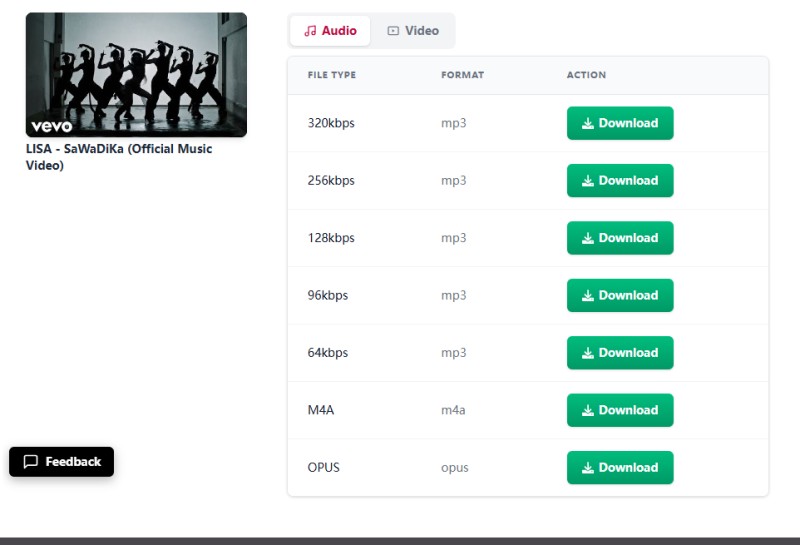
YT1s supports both video and audio downloads. During our test, the service offered video resolutions ranging from 144p to 1080p, depending on the source video. For audio, it provides MP3 downloads at bitrates from 64kbps to 320kbps. It also supports M4A and OPUS formats, giving users several options for saving YouTube content in different audio and video formats.
One thing worth noting is that you may encounter different websites using the YT1s name or similar domain names. This can make it difficult to determine whether you are visiting the same service or a different site. For this reason, it's important to check the website address carefully before using YT1s, especially before interacting with download buttons or providing any personal information.
Key Features of YT1s
Free Online Downloader
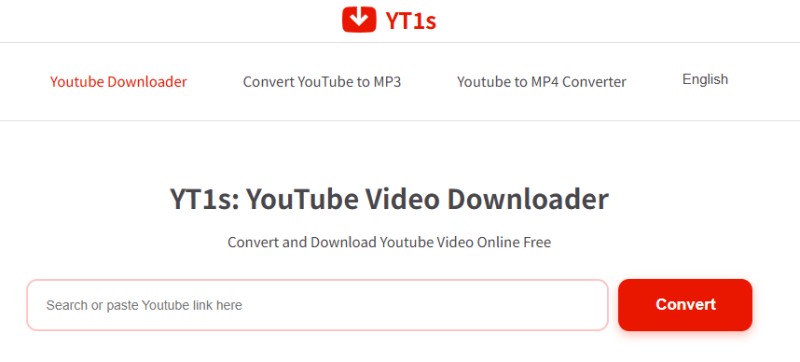
YT1s is a browser-based YouTube downloader that lets users download YouTube content without installing desktop software or creating an account.
MP3 and MP4 Downloads
YT1s supports both audio and video downloads, allowing users to save YouTube content as MP3 audio or MP4 video files.
Multiple Video Resolutions
During our test, YT1s offered video resolutions from 144p to 1080p for free, while 1440p (2K) and 2160p (4K) require payment to download.
Multiple Audio Bitrates
For MP3 downloads, YT1s provided bitrate options from 64kbps to 320kbps, giving users flexibility to choose their preferred audio quality.
Multiple Audio Formats
In addition to MP3, YT1s supports M4A and OPUS formats for audio downloads.
No Account Required
YT1s does not require users to register or create an account before using its basic download features.
Pros and Cons of YT1s
Pros
- Completely free with no registration or account required
- Works directly in your browser without software installation
- Simple and convenient for short, one-off downloads
- Supports MP4 video and MP3, M4A, and OPUS audio formats
- Accessible on Windows, Mac, Android, and iOS devices
Cons
- Intrusive ads, pop-ups, and misleading download buttons
- Frequent redirects to potentially unsafe third-party websites
- Download quality may vary depending on the source
- Downloads may sometimes fail or take longer than expected
- No built-in playlist or batch download support available
- Multiple YT1s domains can make the official site unclear
Part 2. How to Use YT1s to Download YouTube Videos
Using YT1s to download YouTube content is relatively simple and requires no software installation. You can download videos as MP4 files or convert them to MP3, M4A, or OPUS audio formats.
Step 1. Copy a YouTube Video URL
Open YouTube and find the video you want to download. Click Share and select Copy to copy the video's URL.
Step 2. Paste the URL into YT1s
Visit the YT1s website and paste the copied YouTube URL into the search box. Click the Convert button to analyze the video.
Step 3. Choose the Format and Quality
Once the video is processed, select your preferred download format and quality. YT1s supports video downloads in MP4 and audio downloads in MP3, M4A, and OPUS. MP3 downloads offer bitrate options from 64kbps to 320kbps. For video, resolutions from 144p to 1080p are available for free, while 1440p (2K) and 2160p (4K) require users to download and install the software and pay for access.
Step 4. Download the File
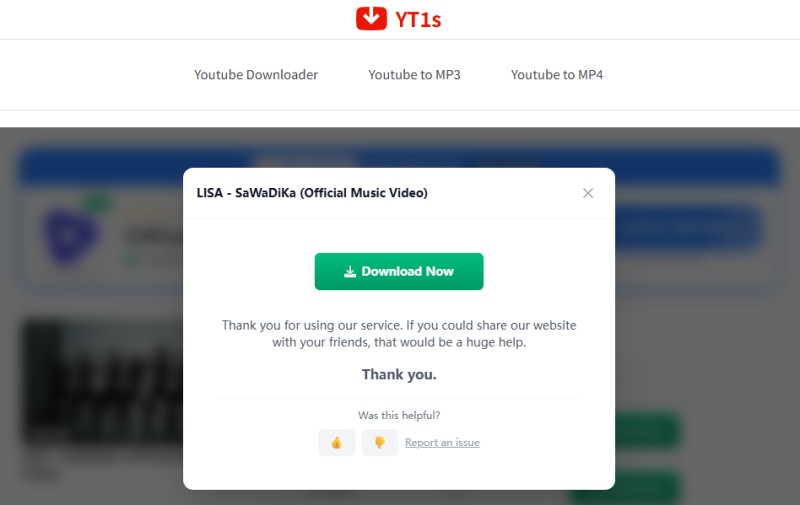
Click the Download button to continue. YT1s may redirect you to a third-party promotional or advertising page instead of starting the download immediately. Return to the YT1s page and click Download Now to save the file to your device. This button may also trigger another advertising page, which you can close before returning to the download page.
What We Found During Testing
During our test, almost every click on a download button triggered a redirect, often opening third-party or advertising pages. The download process was not always straightforward, and some downloads occasionally failed. Users should expect multiple redirects before the file saves successfully.
Part 3. Is YT1s Safe to Use?
YT1s does not require software installation or an account for its basic download features. However, the website environment can raise some safety concerns, mainly due to its frequent advertisements, redirects, and third-party pages.
Advertisements and Third-Party Redirects
During our test, YT1s frequently displayed advertisements and redirected clicks to third-party websites. These pages may not be related to the requested download and can make it difficult to distinguish the actual download option from advertisements.
Potentially Unwanted Pages
Some redirects may lead to promotional pages, pop-ups, or prompts to download software or enable browser notifications. Users should avoid unfamiliar links, unexpected downloads, and software installation prompts.
Is YT1s Safe?
YT1s can be used for basic YouTube downloads, but its advertising-heavy environment requires caution. We recommend keeping your browser and antivirus software up to date, using a reliable ad blocker, and carefully checking each page before downloading anything. Overall, YT1s is less straightforward and trustworthy than cleaner alternatives.
Part 4. Best YT1s Alternative: More Reliable Tool for Downloading YouTube Content
YT1s is fine if you only need to grab a single YouTube video or convert something to MP3 once in a while. But if you download content regularly, the ads, random redirects, one-at-a-time limitation, and inconsistent performance can get frustrating fast. For users who want a cleaner and more reliable desktop option, Macsome Music One is a strong alternative. It lets you download YouTube videos and music in formats such as MP3, AAC, WAV, FLAC, AIFF, and ALAC, while preserving ID3 tags and supporting high-quality output. It works with both free and YouTube Premium accounts.
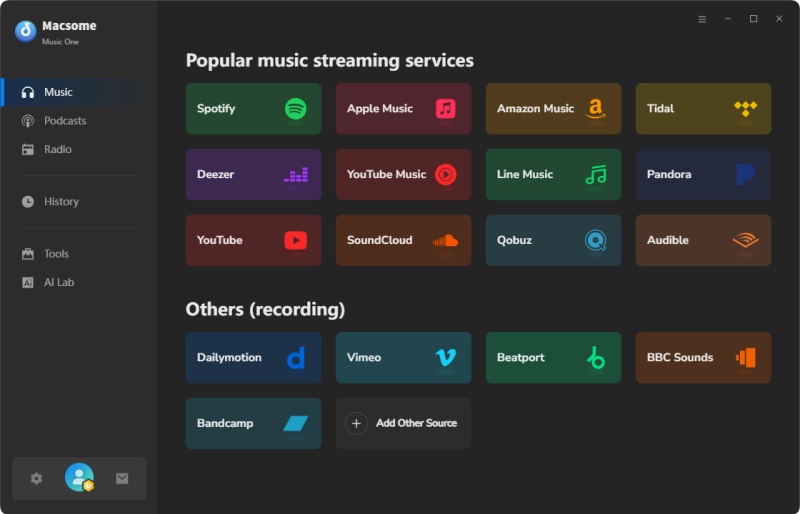
It also covers much more than YouTube. You can download music from YouTube Music, Spotify, Apple Music, Amazon Music, Tidal, SoundCloud, and Qobuz. As a dedicated desktop application, it avoids the pop-ups and unexpected redirects commonly found with browser-based tools. Batch downloads make it easier to handle multiple tracks at once, while metadata such as title, artist, album, and cover art is preserved to help keep your music library organized.
Why Choose Macsome Music One?
- Download YouTube videos and music in multiple formats, including MP3, AAC, WAV, FLAC, AIFF, and ALAC.
- Support Spotify, Apple Music, Amazon Music, Tidal, YouTube Music, SoundCloud, Qobuz, and more.
- Batch download multiple songs at up to 10× faster speed.
- Preserve ID3 tags, including title, artist, album, and artwork.
- Enjoy a dedicated desktop workflow without browser pop-ups or redirects.
How to Convert YouTube Videos to MP3 with Macsome Music One
Macsome Music One provides a straightforward way to save YouTube videos as MP3 files. The process only takes a few steps, and you can customize the output settings before starting the download.
Step 1. Install and open Macsome Music One on your computer. From the main screen, select YouTube from the available services. The built-in YouTube web player will then appear. You can sign in to your YouTube account.
Step 2. Before adding any videos, open the output settings and select MP3 as the target format. You can also choose the destination folder and adjust the audio bitrate under More Settings. If you want higher-quality MP3 files, 320 kbps is available as an option.
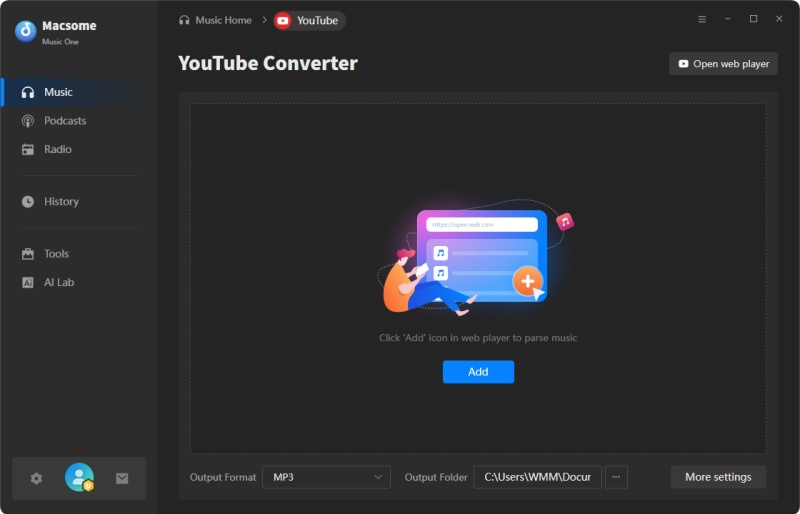
Step 3. Browse the YouTube content you want to save using the built-in web player. When you find a video or playlist, click Click to add to load the available content into the download list. Select the items you want and click Add. You can also use Add More to continue adding other videos, making it possible to prepare multiple downloads before starting the task.
Step 4. Once your videos are ready, click Convert to start downloading and converting them to MP3. After processing is finished, go to History and select Folder to open the location where your files were saved. You can then play the MP3 files, move them to another device, or add them to your preferred music library.
Part 5. FAQs About YT1s YouTube Downloader
- Is YT1s Legal?
- YT1s is a tool for downloading and converting YouTube content, but whether a particular download is legal depends on the content, your intended use, and the laws that apply in your country. Downloading copyrighted videos or music without permission may violate copyright law and can also conflict with YouTube's Terms of Service. It's safest to download content you own, have permission to use, or that is clearly available for lawful downloading.
- Is YT1s Free?
- YT1s provides some free online download options, but the service is not completely free in every case. Basic video and audio downloads may be available without installing software, while certain higher-quality options or advanced settings may require you to download separate software and purchase a license. Therefore, it's worth checking the specific download option and requirements before proceeding.
- Does YT1s Support 320kbps MP3?
- Yes, YT1s shows 320kbps as an option. But that doesn’t mean the audio will actually sound like real 320kbps quality. Most YouTube streams are already compressed (often around 128kbps), so choosing a higher bitrate usually just makes the file bigger without improving the sound. The final quality is limited by the original audio.
- Do I Need an Account to Use YT1s?
- No. YT1s works entirely in the browser and doesn't require any account or software installation. Just paste the link and download. Still, be careful if a page suddenly asks for personal information or tries to get extra permissions - that’s usually a sign of an ad or redirect, not the actual tool.
- What Is the Best Alternative to YT1s?
- If you only need to download a video once in a while, YT1s can still get the job done. But if you download music or videos regularly and want features like batch downloading, better format options, proper metadata, and support for other platforms, Macsome Music One is a much stronger desktop alternative.
Conclusion
This YT1s Review shows that the tool is still usable for quick, one-off YouTube downloads or MP3 conversions. It’s free, requires no account, and works directly in the browser. However, our hands-on test also revealed some limitations, including intrusive ads, redirects, limited batch downloading, and inconsistent download performance.
If you only need an occasional download, YT1s can still be a convenient option. But for anyone who downloads videos or music more regularly, a desktop tool like Macsome Music One offers a more comprehensive solution. It supports batch downloading of YouTube videos and music in multiple output formats while preserving important metadata.
Want a smoother way to download and manage YouTube content? Try Macsome Music One and enjoy a more flexible desktop downloading experience.