



 Belinda Raman
Hi everyone, I'm looking for a reliable way to convert YouTube videos to OGG format. What tools or software do you recommend for YouTube to OGG conversion? I'd appreciate safe and easy options. - CarlosDeje asked on the GetAssist forum.
Looking for the best YouTube to OGG converter like CarlosDeje? You're in the right place. As more users seek high-quality audio from YouTube, OGG has emerged as a popular choice thanks to its superior sound quality and efficient compression.
Whether you want to save music tracks, podcasts, educational content, or audio from your favorite YouTube videos, converting YouTube to OGG allows you to enjoy offline playback without sacrificing audio fidelity. Compared to standard MP3 files, OGG Vorbis often delivers richer sound at the same bitrate, making it the preferred format among audio enthusiasts.
In this comprehensive guide, we'll cover what OGG is, explore the best online and desktop YouTube to OGG converters available, and introduce reliable, safe, and fast alternatives for downloading YouTube videos to OGG effortlessly.
- Part 1. What Is OGG and Why Choose It?
- Part 2. Free Online YouTube to OGG Converters (All Tested)
-
🔥 Part 3. Best Desktop YouTube to OGG Converter for High-Quality Audio
Editor's ChoiceEnjoy faster conversions, higher-quality OGG output, batch downloads, and a more reliable experience than typical online converters.
- Part 4. FAQs About YouTube to OGG Converters
Part 1. What Is OGG and Why Choose It?
Before choosing a YouTube to OGG converter, it helps to understand what OGG actually is and why many audio enthusiasts prefer it over traditional formats.
OGG is a free and open-source multimedia container format developed by the Xiph.Org Foundation. The most common audio codec used within the OGG container is OGG Vorbis. Unlike proprietary formats, OGG was designed to provide high-quality audio compression without licensing fees, making it widely adopted across different platforms and applications.
One of the biggest advantages of OGG is its ability to deliver excellent sound quality at relatively low bitrates. Compared to MP3 files encoded at the same bitrate, OGG Vorbis often preserves more audio detail and produces fewer compression artifacts. This makes OGG a popular choice for music collections, podcasts, audiobooks, and other audio content.
Benefits of Converting YouTube to OGG
- Enjoy offline listening without internet access
- Maintain better audio quality at smaller file sizes
- Store more music on limited storage devices
- Compatible with many modern media players
- Ideal for podcasts, lectures, and music collections
Part 2. Free Online YouTube to OGG Converters (All Tested)
If you don't want to install software, a free online YouTube to OGG converter can be a convenient option. We tested multiple tools that appear in Google search results and selected several services that can successfully convert YouTube videos to OGG format. While online converters are easy to use, download speed, audio quality, privacy protection, and advertisements may vary significantly.
#1 YTMP3.GG - YouTube to OGG Converter
Link: https://media.ytmp3.gg/tool/youtube-to-ogg-converter
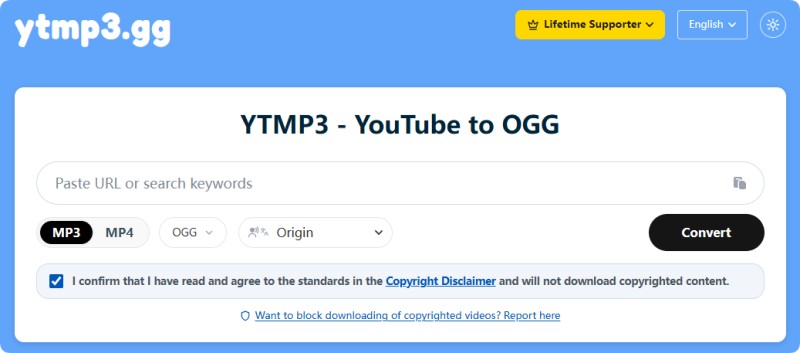
YTMP3.GG is one of the easiest tools to convert YouTube to OGG online. Simply paste a YouTube URL, select OGG as the output format, and click the Convert button. It supports both single videos and playlists through separate links. The downloaded file keeps the original video title, making organization easier. Multiple audio and video formats are available, while higher-quality options require a premium plan.
Pros:
- Clean interface with minimal distractions
- Supports playlists and individual videos
- Keeps the original video title
- Multiple output formats available
Cons:
- Premium subscription required for higher-quality downloads
- Requires copyright confirmation before downloading
- File names include audio quality tags (e.g., 128k), which may affect naming cleanliness.
#2 CutYT - YouTube to Vorbis Converter
Link: https://www.cutyt.com/yt-vorbis
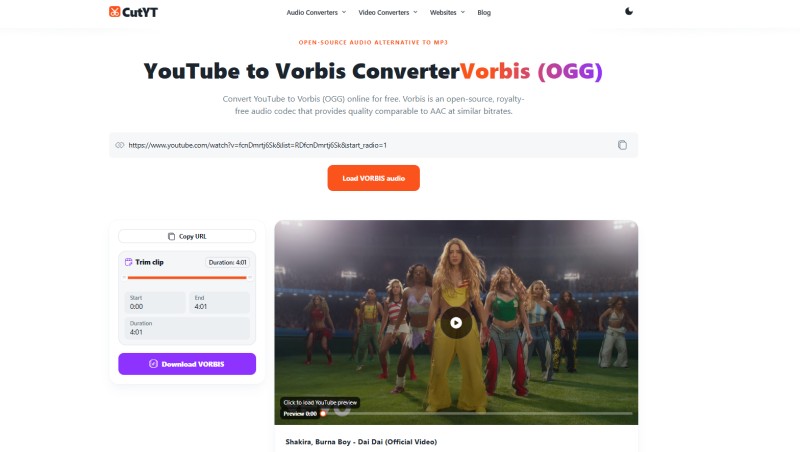
CutYT focuses on converting YouTube videos to Vorbis audio in OGG format. After pasting the video URL, click "Load Vorbis Audio" to retrieve the video information. Once processing is complete, the site generates a Download OGG Now button. During testing, the download process worked reliably, although conversion speed was slower than some competitors. Additional editing features are available, while higher quality may require a paid plan.
Pros:
- Dedicated Vorbis (OGG) conversion engine
- Simple and clean user interface
- Displays video info before conversion
Cons:
- Slower conversion speed
- Generated filenames may include extra characters
- Some advanced features require payment
#3 YTOGG.COM - Simple YouTube to OGG Converter
Link: https://ytogg.com/
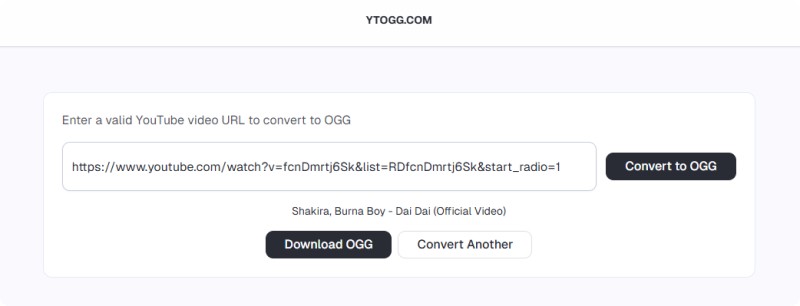
YTOGG.COM is a specialized website designed to convert YouTube videos to OGG format. The process is straightforward: paste the URL and click Convert to OGG. During testing, the audio quality was comparable to YTMP3.GG. However, downloaded files may use a numeric filename and require manually adding the ".ogg" extension if your browser does not automatically recognize it.
Pros:
- Dedicated YouTube to OGG converter
- Good audio quality output
- Fast processing for most videos
Cons:
- Downloaded filenames can be confusing
- Occasional pop-up windows may appear
- May require a manual .ogg extension fix
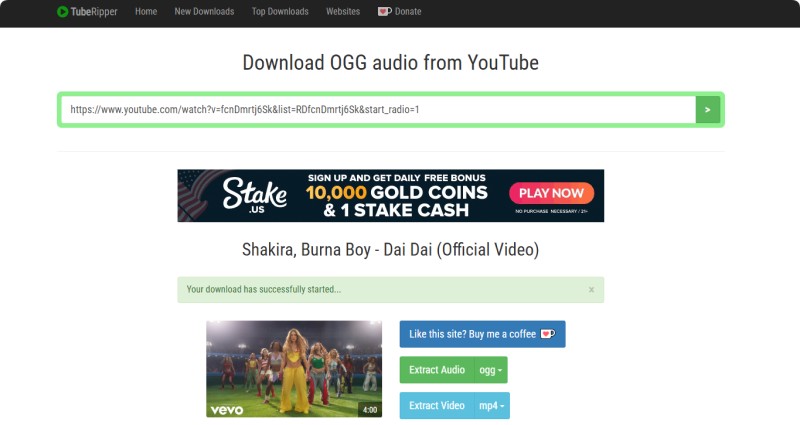
#4 TubeRipper - Download OGG Audio from YouTube
Link: https://tuberipper.click/18/save/ogg
TubeRipper supports downloading YouTube content in multiple formats, including OGG, MP3, M4A, WAV, and FLAC. Besides URL conversion, users can search for videos directly using keywords. During testing, OGG output quality was lower than that of some other tools listed here. The website also displays advertisements beneath the search box, so users should avoid clicking on unrelated ads.
Pros:
- Supports multiple audio formats
- Allows keyword search downloads
- Fast basic conversion
Cons:
- Lower audio quality compared to competitors
- Contains advertisements
- Privacy concerns with the "recent downloads" section
#5 Loader.to - YouTube OGG Playlist Downloader
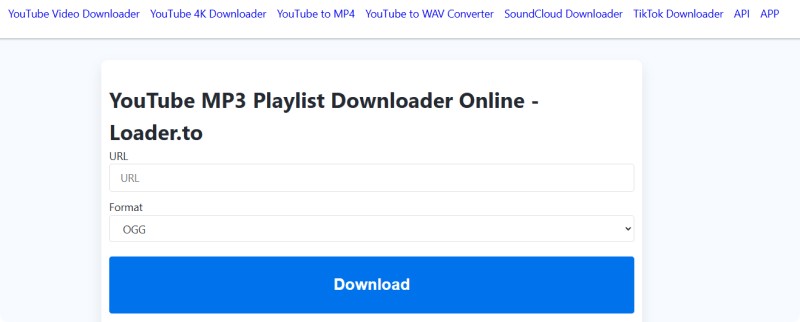
Link: https://en.loader.to/4/
Loader.to is known for playlist downloading capabilities. It supports converting both individual videos and entire playlists into OGG format. After entering a YouTube link, the service analyzes the content and generates a download option. In our testing, audio quality was acceptable but not significantly better than TubeRipper. The site occasionally opens additional browser tabs during the download process.
Pros:
- Supports full playlist downloads
- Multiple format support
- No software installation required
Cons:
- May open extra browser windows
- Average audio quality
- Slower for large playlists
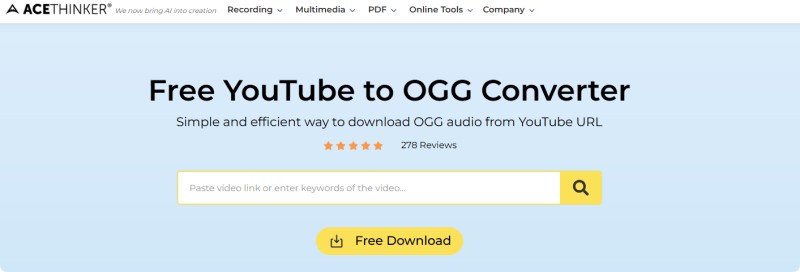
#6 AceThinker Free YouTube to OGG Converter
Link: https://www.acethinker.ai/youtube-to-ogg-1
AceThinker offers YouTube to OGG conversion alongside MP3 and MP4 downloads. During testing, the first conversion attempt did not respond, while the second attempt completed successfully. Audio quality was similar to Loader.to. Users who need higher-quality output may need to upgrade to a paid plan. The interface is modern and beginner-friendly.
Pros:
- Convert YouTube videos to OGG
- Supports multiple formats
- Clean and modern interface
Cons:
- Conversion stability is not always consistent
- Premium required for best quality
- Slower than competitors
Looking for more audio formats? You can also convert YouTube videos into other popular formats depending on your needs:
YouTube to MP3 - Best for general audio extraction and music playback,YouTube to FLAC (Lossless) - Ideal for high-quality, lossless audio archiving,
YouTube to WAV - Uncompressed format for editing and production use.
Part 3. Best Desktop Alternative to Online YouTube to OGG Converters
Free online YouTube to OGG converter tools offer a convenient way to convert YouTube videos to OGG format without installing any software. However, performance, stability, and output quality can vary depending on the platform. For users who frequently use a YouTube to OGG downloader or require consistent, high-quality audio output, desktop software is often a more reliable long-term solution.
Macsome Music One is one of the best desktop alternatives to free online YouTube to OGG converters. This all-in-one YouTube downloader supports downloading videos and playlists in multiple formats, including MP3, AAC, WAV, FLAC, AIFF, and ALAC. It also allows users to convert MP3 files to OGG for free. The software supports high-quality audio output up to 320kbps while preserving original ID3 tags such as title, artist, album, genre, and artwork.
Key Features of Macsome Music One
- Download YouTube videos and playlists to MP3, AAC, WAV, FLAC, AIFF, or ALAC formats.
- Convert local audio files (MP3, AAC, WAV, FLAC, AIFF, ALAC) to OGG format.
- Preserve original ID3 tags including, title, artist, album, genre, and artwork.
- Export high-quality audio up to 320kbps.
- Faster and more stable than most online converters and Telegram bots.
- No pop-ups, redirects, ads, or platform limitations.
- Download playlists, podcasts, radio stations, and local music files in a batch.
- Support music conversion from Spotify, Apple Music, Amazon Music, and more.
- Compatible with both Windows and macOS.
How to Convert YouTube to OGG with Macsome Music One
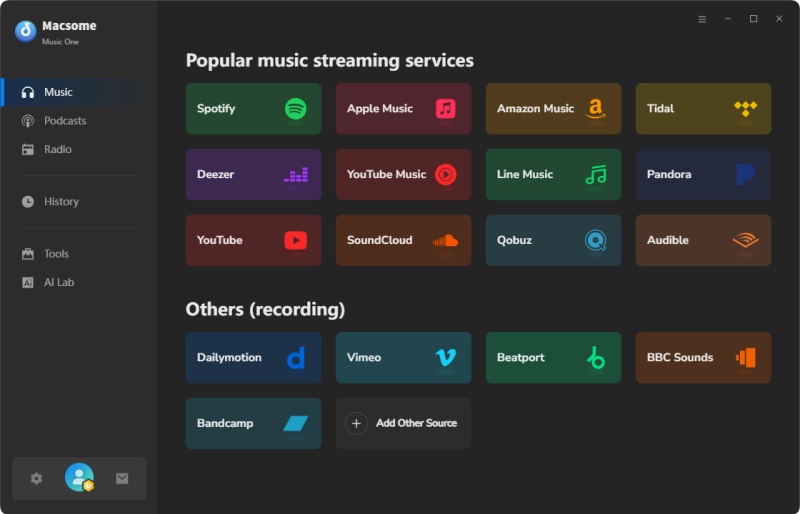
Step 1. Download, install, and launch Macsome Music One on your Windows PC or Mac. On the home screen, you'll see multiple streaming services. Click the "YouTube" module to open the built-in YouTube web player.
Step 2. At the bottom of the interface, choose MP3 as the output format. You can also customize the output folder, audio quality, output file name, bitrate, and additional parameters by clicking the "More Settings" option.
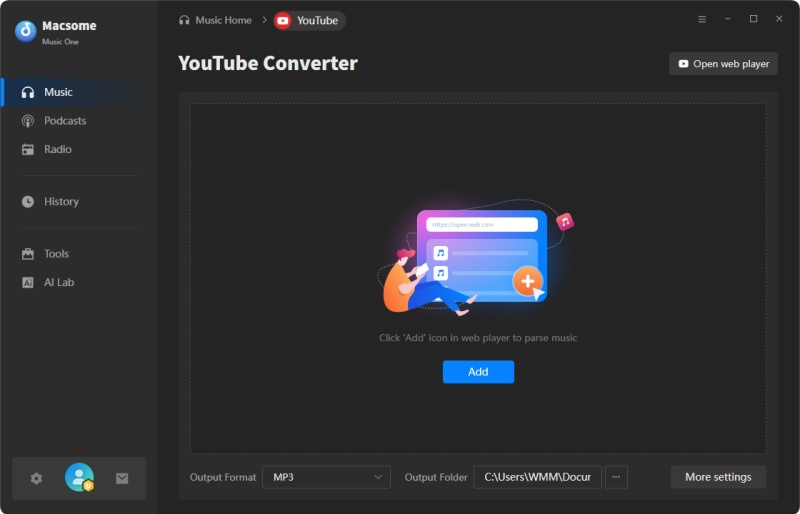
Step 3. Open YouTube or YouTube Music inside Macsome Music One and browse the video, song, playlist, or podcast you want to convert. Click the "Click to add" button to load the content into Macsome, then click "Add" to import it to the main conversion list. You can also batch-add multiple YouTube videos simultaneously.
Step 4. Click "Convert" to download and convert the selected YouTube content to MP3. Once the process is complete, open the "History" section and click the "Folder" icon to locate the converted files.
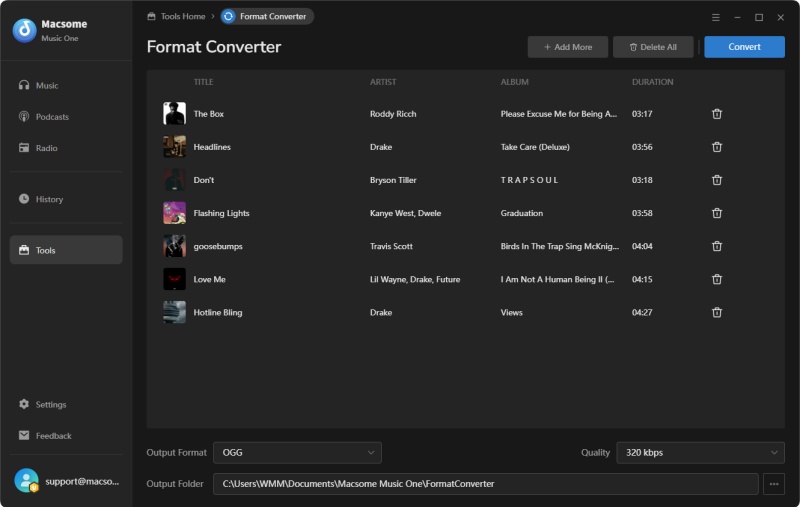
Step 5. Open the "Format Converter" tool from the left sidebar. Add the downloaded MP3 files, select OGG as the output format, and click "Convert". Macsome will quickly convert the files to OGG while maintaining high audio quality.
Pros:
- Convert YouTube videos to OGG format with stable performance.
- No ads, pop-ups, redirects, or download limitations.
- Maintain high audio quality during YouTube to OGG conversion.
- Download entire YouTube playlists, channels, and podcasts.
- Batch process multiple YouTube videos at once.
- Preserve original ID3 tags, including title, artist, album, and artwork.
- Support additional output formats such as MP3, FLAC, WAV, AAC, AIFF, and ALAC.
- Convert local audio files to OGG format without quality loss.
- Faster and more reliable than most online YouTube to OGG converters.
- Compatible with both Windows and macOS.
Cons:
- Requires downloading and installing desktop software.
- YouTube videos are first downloaded before being converted to OGG.
- Not as convenient as browser-based YouTube to OGG tools for occasional use.
Part 4. FAQs About YouTube to OGG Converters
- Why convert YouTube to OGG instead of MP3?
- Many users choose OGG because it can provide better audio quality than MP3 at the same bitrate. OGG files are also more efficient in terms of compression, which means you can save storage space without sacrificing sound quality.
- Are free YouTube to OGG converters safe to use?
- It depends on the website. Some online YouTube to OGG converters are relatively safe and easy to use, while others may display pop-ups, redirects, or misleading download buttons. Always download files carefully and avoid clicking on unrelated advertisements.
- Can I convert an entire YouTube playlist to OGG?
- Yes. Some YouTube to OGG converters support playlist downloads. Services such as Loader.to and YTMP3.GG offer playlist conversion features, while desktop software typically provides a more reliable solution for large playlists.
- What audio quality can I expect when converting YouTube to OGG?
- The final audio quality depends on both the original YouTube video and the converter used. Most free online tools provide standard-quality OGG files, while premium services or desktop software may offer higher bitrate options.
- Can I convert YouTube Shorts to OGG?
- Yes. Most YouTube to OGG converters can process YouTube Shorts as long as the video URL is publicly accessible and supported by the converter.
- Is there a file size limit when using online YouTube to OGG converters?
- Some online converters may restrict video length, file size, or the number of conversions allowed per day. These limitations vary by service and can be frustrating if you frequently download long videos or playlists. For users seeking a more reliable solution, Macsome Music One offers a desktop YouTube to OGG converter with no file size limits, fast batch processing, and stable high-quality audio output, making it ideal for regular use.
- Can I convert YouTube videos to OGG on my phone?
- Yes. Most browser-based YouTube to OGG converters work on Android and iPhone devices. Simply open the converter website in your mobile browser, paste the YouTube link, and follow the download instructions.
- Is converting YouTube videos to OGG legal?
- Copyright laws vary by country and region. Always make sure you have the necessary rights or permission before downloading copyrighted content. Use YouTube to OGG converters responsibly and in accordance with applicable laws and platform terms.
Conclusion
In this guide, we've covered some of the top tools for converting YouTube to OGG, ranging from easy-to-use online converters to professional desktop applications. Each tool has its advantages, whether you value simplicity, playlist support, fast conversion speed, or high audio quality.
For occasional downloads, online YouTube to OGG converters are convenient and accessible. But for frequent users who save YouTube music, podcasts, or large playlists, a dedicated desktop solution like Macsome Music One offers a superior experience with batch conversion, high-quality OGG output, playlist support, and compatibility with multiple platforms including, YouTube, YouTube Music, Spotify, Apple Music, SoundCloud, Qobuz, and more.
👉 Ready to download YouTube videos as OGG? Try Macsome Music One and enjoy fast, high-quality YouTube to OGG conversion with greater flexibility and control.